Virtual Staging: The Complete Guide for Real Estate Agents (2026)
Everything agents need to know about virtual staging in 2026 — how AI staging works, what it costs, which rooms to stage first, MLS disclosure rules, and how to avoid the mistakes that kill buyer trust.
 Easy Room AI Team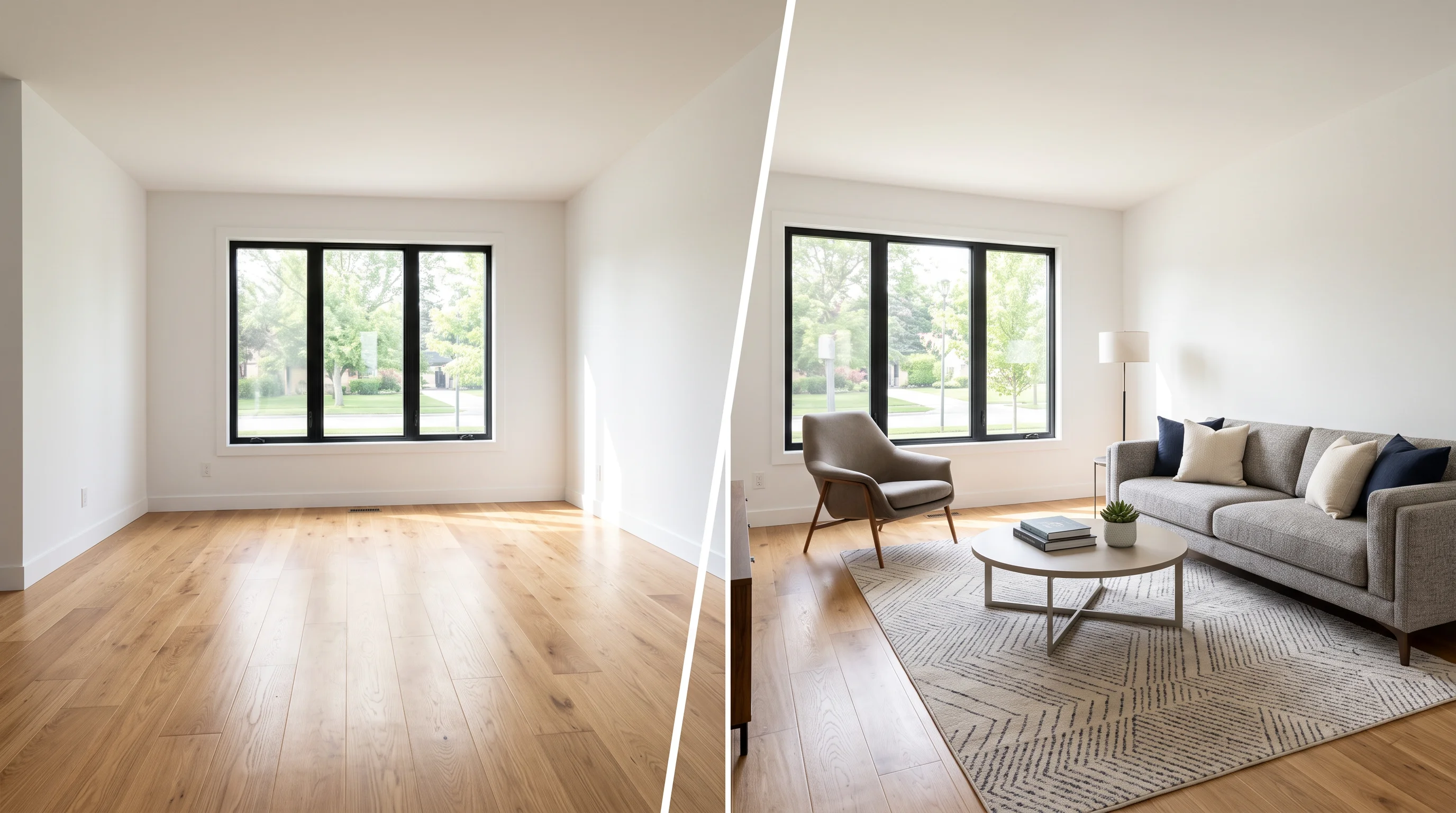
Virtual staging is the process of digitally adding furniture, decor, and lifestyle details to a photo of an empty or outdated room — so buyers can see the space's potential without anyone moving a single physical chair.
In 2026, most virtual staging happens in seconds through AI. What used to cost $30 per image and take 48 hours now costs under a dollar and takes 30 seconds.
This guide covers everything a real estate agent needs to know: how the technology works, what it actually costs, which rooms to prioritize, how to stay MLS-compliant, and the mistakes that make buyers lose trust.
Quick answer
Virtual staging digitally furnishes empty room photos so buyers can visualize the space as a home. AI tools do it in seconds for under $1/image — vs $2,000–$5,000 for physical staging. Per NAR's 2025 Profile of Home Staging, 83% of buyers' agents say staging helps buyers picture the property as their future home, and 49% of sellers' agents report staging reduces time on market. Always disclose virtually staged photos per your MLS rules.
Ready to try it? Stage a vacant room in seconds — architecture-locked AI that keeps your walls, windows, and floors honest.
Why virtual staging works (the data)
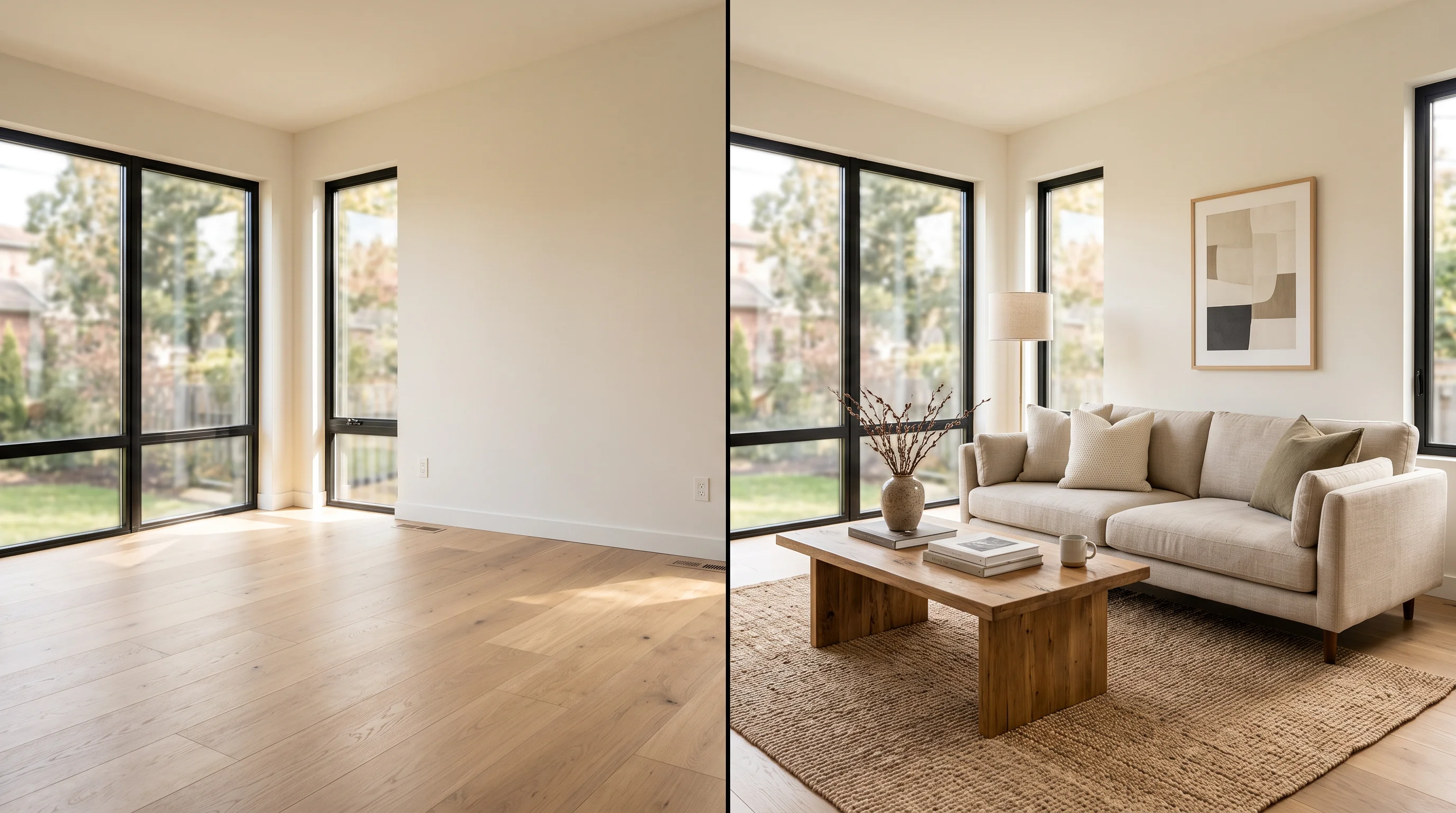
Let's start with why this matters. The case for staging isn't opinion — it's survey data from the largest real estate trade group in the country.
The National Association of Realtors' 2025 Profile of Home Staging surveyed 1,266 active agents. Here are the numbers that matter:
- 83% of buyers' agents said staging made it easier for a buyer to visualize the property as their future home.
- 49% of sellers' agents observed staging reduced the time their listings spent on the market.
- 29% of sellers' agents reported staging led to a 1–10% increase in the dollar value offered.
- 60% of buyers' agents said staging had an effect on most buyers' view of the home most of the time.
- 31% of buyers' agents said buyers were more willing to walk through a home they first saw staged online.
And here's the context that makes virtual staging the default choice for most listings: 97% of buyers start their home search online (NAR). They form a first impression from listing photos — often within three seconds. Empty rooms look cold and small in photos. Staged rooms look warm and livable.
Physical staging captures that benefit but at $2,000–$5,000 per listing. Virtual staging captures the same online visualization benefit for a fraction of that cost.
Bottom line: staging helps sell homes faster. Virtual staging delivers that benefit where it matters most — in the listing photos buyers see before they ever schedule a showing.
How AI virtual staging actually works
This isn't Photoshop. Modern AI virtual staging doesn't paste pre-cut furniture on top of a photo. It generates new pixels that match the room's specific geometry, lighting, and perspective.
Here's the step-by-step:
Step 1: Image analysis. The AI identifies the room type (living room, bedroom, kitchen), empty floor area, window and door positions, ceiling height, and the dominant light source. This is what lets it place a rug on the floor — and not on the wall.
Step 2: Depth estimation. The model estimates the three-dimensional geometry of the room from your two-dimensional photo. Where is the floor? Where are the walls? What's the rough square footage? Without accurate depth estimation, furniture would sit at the wrong scale or angle.
Step 3: Style selection. You choose a design aesthetic — Modern, Farmhouse, Coastal, Scandinavian, etc. The model uses this to guide furniture selection, color palette, and decor density.
Step 4: Furniture generation. The AI generates furniture directly into the empty space, matching the room's existing lighting and shadows so the result reads as one photograph — not a collage. A sofa in a narrow living room will be proportionally different from one in a wide-open loft.
Step 5: Architecture lock. This is the most critical step for listing use. Purpose-built staging tools lock walls, windows, floors, and fixed fixtures so the AI cannot accidentally "remodel" the space. General-purpose AI (like ChatGPT or Midjourney) lacks this constraint and will cheerfully move a window, change hardwood to tile, or add a ceiling beam that doesn't exist. That crosses from staging into misrepresentation.
Step 6: Compositing and cleanup. The furnished area is blended with the untouched parts of the room. Your real hardwood, real bay window, and real ceiling height stay pixel-identical to the original photo.
The output: a high-resolution image that looks like someone photographed a furnished room — because the AI painted contextually appropriate furniture within the room's own lighting and geometry, rather than pasting generic objects on top.
Why this matters for agents: EasyRoomAI's virtual staging uses architecture-locked AI. Walls, windows, and floors stay honest — which is both an MLS requirement and what makes the photo trustworthy when the buyer actually walks in.
Stage a Vacant Room with AI in 30 Seconds
Upload an empty room photo to generate photorealistic, MLS-compliant staged furniture.
Supports JPG, PNG, WebP up to 10MB
Virtual staging vs traditional staging vs 3D rendering
Not all "staging" is the same. Here's how the three main options compare:
| AI Virtual Staging | Traditional Physical Staging | 3D Rendering | |
|---|---|---|---|
| What it is | AI adds digital furniture to photos of existing rooms | Physical furniture placed in the actual property | Entire room built from scratch using 3D software |
| Cost (typical listing) | $1–$50 total | $2,000–$5,000+ | $300–$1,200+ per image |
| Speed | Seconds to minutes | 1–2 weeks setup | 3–10 business days |
| Space must exist? | Yes — needs a real photo | Yes — needs physical access | No — works from floor plans |
| Style variety | Multiple styles, instant | Limited to available inventory | Unlimited |
| MLS disclosure | Required | Not required | Not typically for listings |
| Best for | 95% of vacant residential listings | Luxury open houses ($1M+) | Pre-construction / off-plan |
The practical rule: use virtual staging as the default for online listing photos. Reserve physical staging for luxury properties where in-person showings are the primary sales channel. Use 3D rendering only for properties that don't exist yet.
For the detailed cost math and ROI calculation, try our Virtual Staging ROI Calculator — plug in your listing price, staging cost, and expected lift to see the actual numbers for your market.
What virtual staging costs in 2026

Virtual staging pricing falls into three buckets. (For the full breakdown with provider-by-provider comparisons, see our complete virtual staging cost guide.) For an in-depth tool-by-tool benchmark across 7 testing dimensions, check out our guide to the Best AI Virtual Staging Tools in 2026. For immersive virtual tours, see our dedicated 360 Virtual Staging Guide.
AI virtual staging: $0.15–$50 per image
Most AI tools charge per image or via monthly subscription. At the low end, you're looking at under $1 per room. At the high end (premium quality with designer review), $30–$50.
For a typical 5-room staging package, that's $1–$250 total.
A subscription plan like EasyRoomAI Premium ($49.90/month) gives you roughly 580+ standard staging images per month — more than enough for a busy agent handling multiple listings.
Human virtual staging: $24–$100 per image
A human designer uses Photoshop or 3D software to stage each room manually. Quality is excellent, turnaround is 24–48 hours. BoxBrownie, Styldod, and similar services sit here.
For a typical 5-room package: $120–$500 total.
Physical staging: $2,000–$10,000+ per listing
Furniture rental, delivery, setup, teardown. NAR's 2025 data puts the median staging service cost at $1,500 for professional help, $500 if the agent does it themselves. Luxury properties can easily run $10,000+.
The ROI math
Here's why this matters even on a $400,000 listing:
- NAR data: 29% of agents reported staging raised offers by 1–10%.
- Conservative assumption: a 1% price lift = $4,000 additional sale price.
- AI staging cost for that listing: $5–$50.
- Net ROI: 8,000–80,000%.
Even using the most conservative assumptions, virtual staging is the highest-ROI marketing move available for vacant listings. (For the detailed ROI analysis with NAR data and carrying-cost math, read our virtual staging ROI deep dive.)
Run your own numbers: Our Virtual Staging ROI Calculator lets you input your listing price, staging cost, and expected lift to see the math for your specific situation.
Which rooms to stage first
You don't have to stage every room. But you do need to stage the right ones.
NAR's data on which staged rooms matter most to buyers:
- Living room — 37% of buyers' agents said this was most important
- Primary bedroom — 34%
- Kitchen — 23%
- Dining room — next tier
- Home office — increasingly important post-COVID
The practical priority: stage the living room and primary bedroom first. These two rooms drive the most buyer engagement in listing photos. If budget allows, add the kitchen/dining and a home office.
For vacant listings with 8+ rooms, focus on the 5 highest-impact spaces. The marginal cost of staging additional rooms with AI is minimal, but the marginal benefit drops after the primary living spaces.
Not sure where to start? Our Room Staging Priority Calculator ranks your rooms by impact based on property type, number of bedrooms, and price point.
How to choose the right staging style
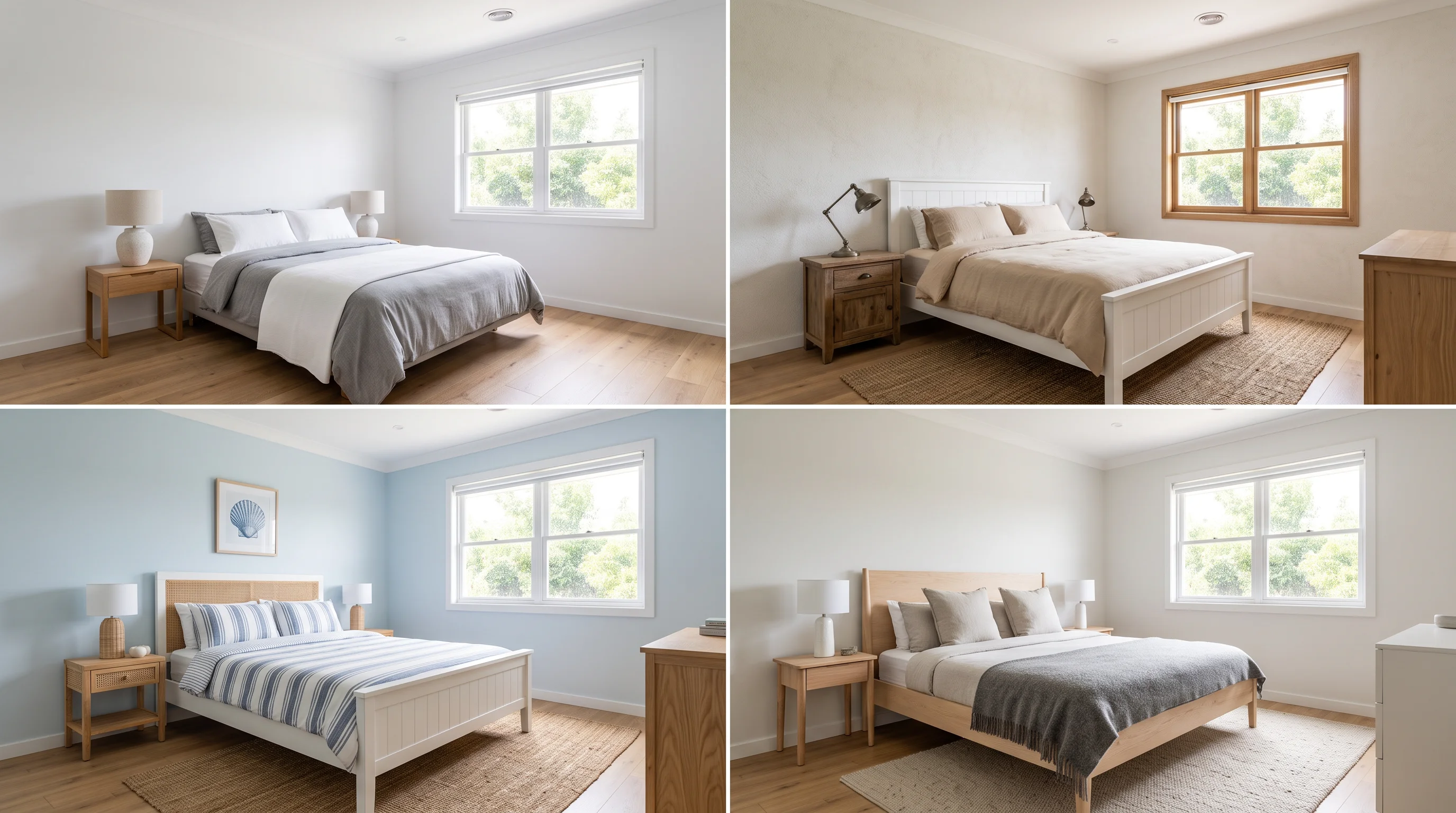
The style you choose should match the buyer, not the seller's personal taste. The goal is to help the statistically most likely buyer for that property type and location picture themselves living there.
Here's the cheat sheet:
| Property Type | Best Primary Style | Secondary Option |
|---|---|---|
| Urban condo (< 800 sq ft) | Scandinavian | Modern |
| Urban condo (800–1,500 sq ft) | Modern | Transitional |
| Suburban single-family | Transitional | Traditional |
| New construction | Modern/Contemporary | Transitional |
| Colonial/Craftsman | Traditional | Transitional |
| Luxury (any type) | Luxury Contemporary | Refined Traditional |
| Beach/Resort property | Coastal | Scandinavian |
| Investment/Rental | Transitional | Modern |
When in doubt, choose Transitional. It blends modern and traditional elements, works with the widest range of architectural styles, and appeals to the broadest buyer demographic. It's the "safe bet" that rarely creates the cognitive dissonance of a Scandinavian stage in a Victorian home.
Two mistakes to avoid:
- Don't default to the same style for every listing. A downtown loft and a suburban colonial need different aesthetics.
- Don't stage in the style the seller likes. You're staging for the statistical buyer, not for the person leaving.
Get a personalized recommendation: Our Staging Style Matcher takes your property type, price range, target buyer, and vacancy status — then recommends the best staging preset with fit scores.
How to take photos that stage well
AI staging quality depends heavily on the input photo. A clean, well-lit room photo produces photorealistic staging. A dark, cluttered, distorted photo produces mediocre staging no matter how good the AI is.
Here's the photographer's checklist:
Before you shoot
- Clear the room completely. Even small objects — shoes, cleaning supplies, a camera bag — confuse the AI and create awkward results.
- Open all blinds and curtains. Natural light produces the most realistic staging results.
- Turn on all interior lights. Fill shadows and balance the exposure.
- Clean visible surfaces. Dusty baseboards and dirty windows show through in staged photos.
Camera setup
- Use a tripod at chest height (40–54 inches). This maintains natural perspective and keeps vertical lines straight. Handheld shots introduce tilt that makes staged furniture look wrong.
- Use a wide-angle lens (16–24mm). Capture the full room depth without extreme distortion. Avoid ultra-wide fisheye shots — they warp furniture proportions.
- Shoot in landscape orientation. This is the standard format for every listing portal and gives the AI maximum floor space to work with.
- Set white balance to Daylight (5200–5500K). Consistency across rooms matters — mixed color temperatures create inconsistencies in the staged output.
Composition
- Shoot from corners to maximize visible floor space and room depth.
- Keep the camera level. No tilted horizons. The AI places furniture based on the perceived floor plane — a tilted photo means tilted furniture.
- Capture at least one main photo per room that shows the full layout. The more floor the AI can see, the more natural the furniture placement.
The 60/40 rule: at least 60% of the output quality comes from the input photo. Invest time in getting clean, well-lit, properly framed source photos, and the AI does the rest. If you are handling staging yourself, follow our step-by-step DIY Virtual Staging Software Guide to avoid perspective distortion and scale traps.
MLS disclosure rules you must follow
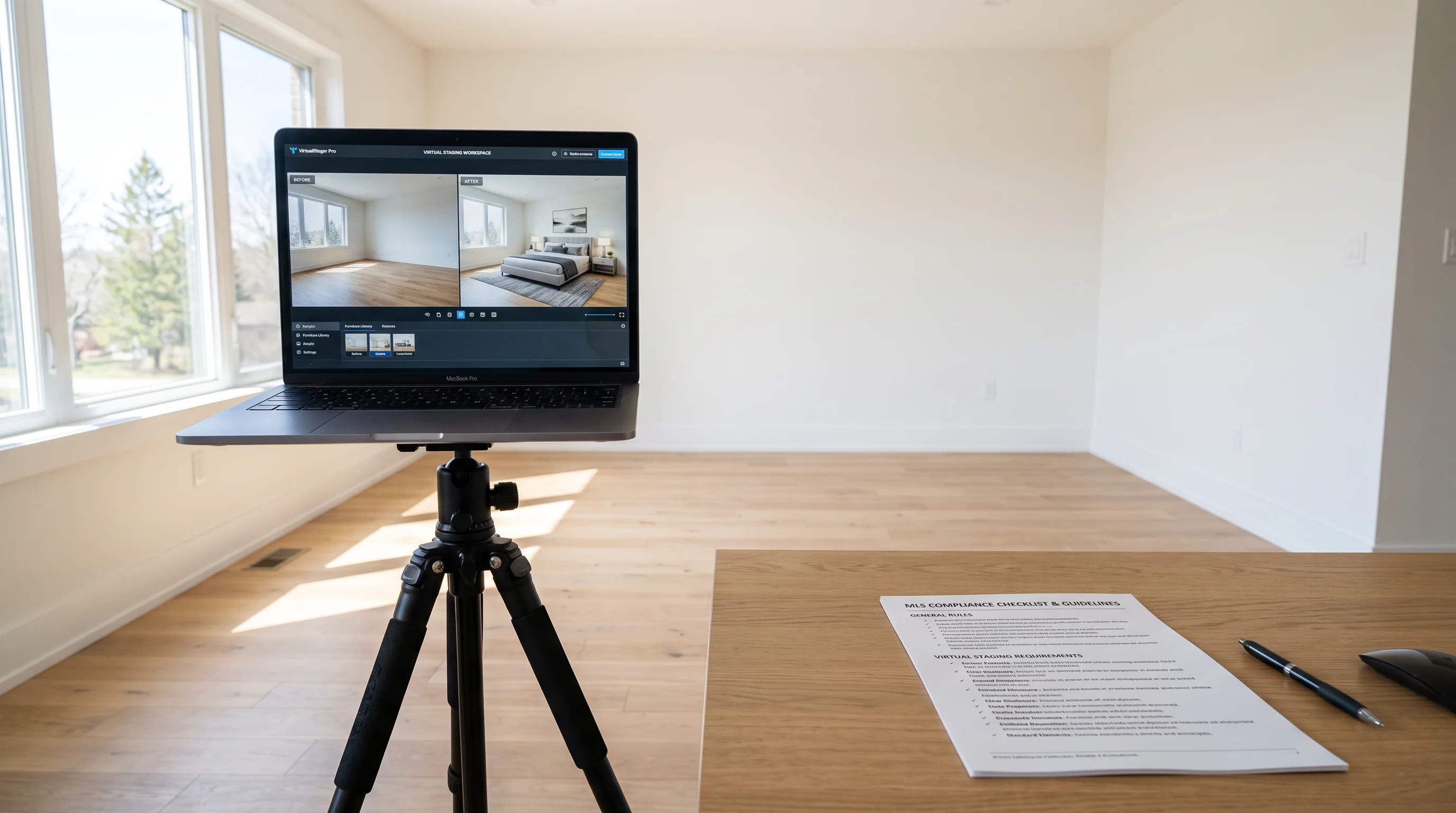
Virtual staging is allowed on virtually every MLS in the country. But you must disclose it. Here's what's required:
The universal rules (NAR + most MLS boards)
- Label every staged image. Add "Virtually Staged" as a visible watermark or in the photo description/caption field. Captions can be stripped by syndication portals, so an on-image label is safer.
- Include the original, unstaged photo. Upload it immediately before or after the staged version. Buyers need to see the true condition.
- Disclose in the listing remarks. One sentence: "Some photos are virtually staged to illustrate furniture potential."
- Don't alter permanent features without renovation disclosure. Standard staging adds furniture and decor. If a listing has badly damaged or dated flooring (worn carpets, pet stains, or builder-grade orange laminate) that requires digital replacement, that falls under virtual renovation rather than basic staging. Read our dedicated Floor Virtual Staging Guide to learn how to digitally replace flooring with luxury white oak or herringbone while remaining 100% compliant with strict MLS and California AB 723 disclosure laws.
California AB 723 (effective January 1, 2026)
California raised the bar. Assembly Bill 723 now requires:
- A reasonably conspicuous disclosure on or adjacent to every digitally altered image.
- A link, URL, or QR code pointing to the original, unaltered image.
- If you control the website, you must include the unaltered image directly or via link.
- Willful violation is a crime under California Real Estate Law.
CRMLS (California's largest MLS) enforces this through Rule 11.5.2: labeled image + original paired immediately before/after. First violation: warning + mandatory correction. Then $250 fines, escalating to ethics review.
What counts as "digitally altered"
The definition is broad: adding or removing furniture, fixtures, appliances, changing walls, flooring, cabinetry, landscaping, or adding features that don't exist. Routine edits — cropping, exposure correction, white balance — are exempt.
Generate your disclosure language instantly: Our MLS Disclosure Generator produces state-specific compliance text, watermark templates, and filing checklists. No guesswork.
Virtual staging mistakes that kill buyer trust
Here are the most common errors — and how to avoid each one:
1. Changing permanent features
The #1 risk. Virtual staging should never remove stains, hide damage, change flooring, alter wall colors, or add features that don't exist. That's misrepresentation, not staging. If the AI changed something structural, regenerate.
2. Wrong furniture scale
A king bed in a 10×11 room looks impressive in the staged photo — and laughable when the buyer walks in with a tape measure. Compare furniture to fixed reference points: windows, door frames, baseboards. If proportions feel off, they are.
3. Floating furniture
Chair legs, bed frames, and sofa feet must cast realistic contact shadows where they meet the floor. Furniture that appears to hover is the #1 tell of weak AI output. If you see it, regenerate with a different style or tool.
4. Inconsistent styles across rooms
A Modern living room next to a Farmhouse kitchen creates cognitive dissonance. Use the same or complementary styles throughout the listing to tell a cohesive design story.
5. Over-staging
The goal is to help buyers visualize — not to create a magazine fantasy. Cluttered rooms distract from the property's actual features. Keep it clean and functional: buyers should think "I could live here," not "this looks like a catalog."
6. Skipping disclosure
This is the mistake with legal consequences. Missing labels, missing originals, missing remarks — any of these can trigger MLS fines, compliance reviews, or worse. Under AB 723 in California, willful violation is a crime. Label everything.
7. Publishing without human review
AI staging should never go straight from generation to MLS upload. Before publishing, check: furniture scale, perspective consistency, lighting match, shadow accuracy, window/door placement, and whether the result changes the property's actual condition. This takes 30 seconds per image and prevents every other mistake on this list.
When virtual staging doesn't work
Virtual staging is the right call for most vacant listings. But it's not universal.
Consider physical staging instead when:
- The property is ultra-luxury ($2M+) and in-person showings are the primary sales channel.
- The listing will host frequent open houses where buyers physically walk through rooms.
- The seller has the budget and timeline (1–2 weeks setup).
Consider skipping staging entirely when:
- The home is already furnished and well-maintained. (Use photography optimization instead.)
- The market is so hot that properties sell in days regardless. (Staging won't hurt, but the ROI calculation changes.)
- The photos are too low-quality for AI to produce realistic results. (Fix the photography first.)
Virtual staging is not a substitute for:
- Cleaning and decluttering the actual property.
- Fixing genuine defects (cracked walls, stained carpets, broken fixtures).
- Professional photography.
Think of it this way: virtual staging makes a good listing photo great. It doesn't make a bad listing photo acceptable.
Getting started
If you've read this far, you already know more about virtual staging than most agents. Here's the quick-start path:
- Start with your next vacant listing. Pick the living room and primary bedroom.
- Take clean, well-lit photos using the checklist above.
- Stage both rooms with a style that matches the buyer demographic. (Not sure which? Use the Style Matcher.)
- Review the output. Check scale, shadows, and structural integrity.
- Add disclosure. Label the images, include originals, add remarks. (Use the Disclosure Generator if you're in a state with specific requirements.)
- Upload to MLS with staged and original photos paired.
Total time: about 15 minutes for two rooms. Total cost: under $2 with AI staging.
The agents who stage every listing aren't doing it because it's complicated. They're doing it because the math is obvious.
Stage your first listing: Try EasyRoomAI Virtual Staging — upload a photo, pick a style, get a staged image in seconds. Architecture stays locked. See pricing →
FAQ
What is virtual staging? Virtual staging is the process of digitally adding furniture and decor to photos of empty or outdated rooms. AI-powered tools analyze the room's geometry, lighting, and perspective, then generate furniture that fits the space naturally. The result looks like a photograph of a furnished room — because the AI paints contextually appropriate furniture within the room's own lighting, rather than pasting generic objects on top.
How much does virtual staging cost? AI virtual staging ranges from $0.15 to $50 per image, depending on the tool and quality level. A typical 5-room listing costs $1–$250. Human virtual staging runs $24–$100 per image. Physical staging costs $2,000–$10,000+ per listing. Calculate your exact ROI →
Is virtual staging legal? Yes. Virtual staging is legal and allowed on virtually every MLS. The requirement is disclosure: label staged images as "Virtually Staged," include the original unstaged photo, and note it in the listing remarks. In California, AB 723 (effective January 1, 2026) adds additional requirements including a link to the original image.
Does virtual staging help sell homes faster? According to NAR's 2025 Profile of Home Staging, 49% of sellers' agents reported staging reduced time on market, and 29% saw a 1–10% increase in the dollar value offered. Virtual staging delivers the same visualization benefit as physical staging for online listings — where 97% of buyers start their search.
Which rooms should I stage first? Living room (37% of buyers' agents ranked it most important), primary bedroom (34%), and kitchen (23%), per NAR data. Stage the two highest-impact rooms first, then add more if budget allows. Get a priority ranking for your specific listing →
Can I use ChatGPT or Midjourney for virtual staging? For a private "what could this look like" sketch, sure. For listing photos, no. General-purpose AI lacks structure preservation (it will move your windows), MLS-ready disclosure export, multi-angle consistency, and a style library tuned for real estate. Use a dedicated staging tool that locks walls, windows, and floors by design.
What's the difference between virtual staging and 3D rendering? Virtual staging adds furniture to photos of existing rooms. 3D rendering builds entire scenes from architectural plans. Virtual staging requires a real space and a real photo; 3D rendering works from drawings alone. Virtual staging is faster ($1–$50, seconds) and used for existing listings. 3D rendering is slower ($300–$1,200+, days) and used for pre-construction marketing.
Ready to Stage a Listing?
Upload a vacant room photo and generate listing-ready furniture — sign in with credits to generate.
Stage a ListingRelated reading

DIY Virtual Staging Software: How to Stage Listings Yourself in 2026 (Tools, Costs & Step-by-Step Guide)
Stop paying $24–$35 per photo to outsourcing agencies. Compare the top DIY virtual staging software in 2026, master the 5-step realtor staging workflow, and avoid costly MLS disclosure and perspective mistakes.
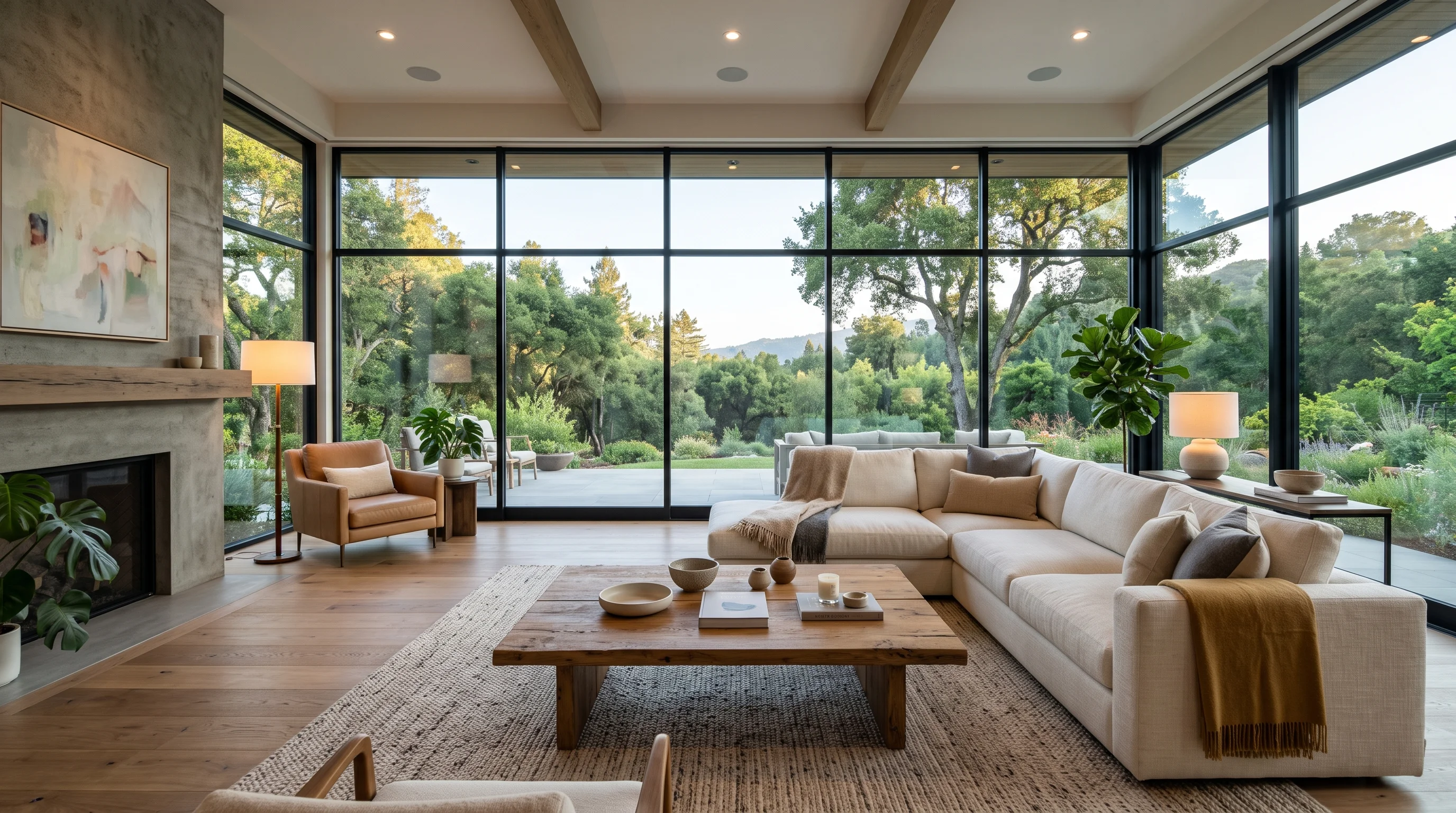
360 Virtual Staging: Complete Real Estate Guide (2026)
Master 360 virtual staging for real estate in 2026 — camera setups, AI panoramic furnishing, seamless 2:1 exports to Matterport & Kuula, and MLS compliance.
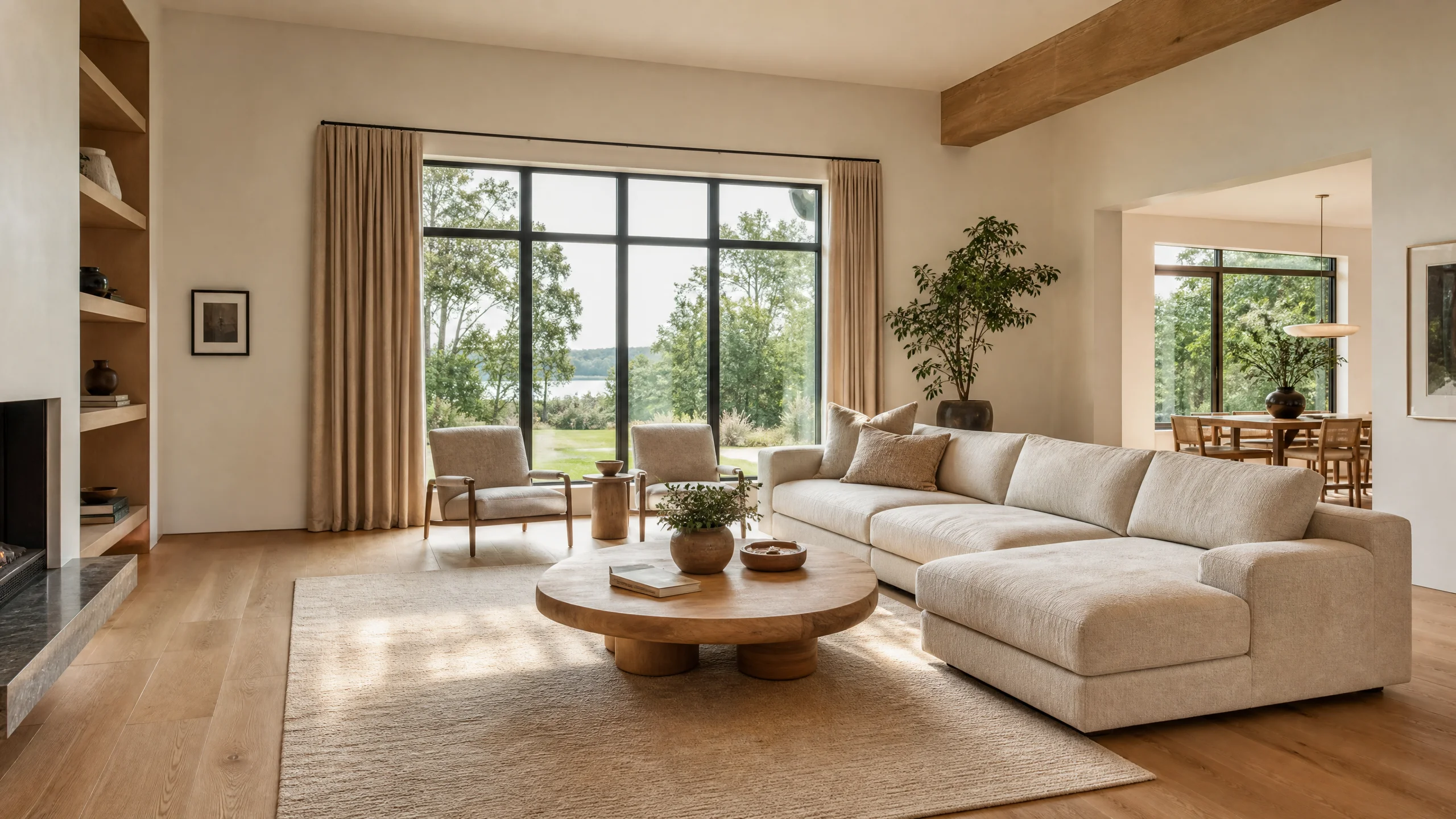
Best Virtual Staging Software for Real Estate (2026 Tested)
Compare the best virtual staging software for real estate in 2026. Real test data from Reddit photographers, architecture lock vs AI hallucination, 360° panorama support, and MLS compliance.