DIY Virtual Staging Software: How to Stage Listings Yourself in 2026 (Tools, Costs & Step-by-Step Guide)
Stop paying $24–$35 per photo to outsourcing agencies. Compare the top DIY virtual staging software in 2026, master the 5-step realtor staging workflow, and avoid costly MLS disclosure and perspective mistakes.
 Easy Room AI Team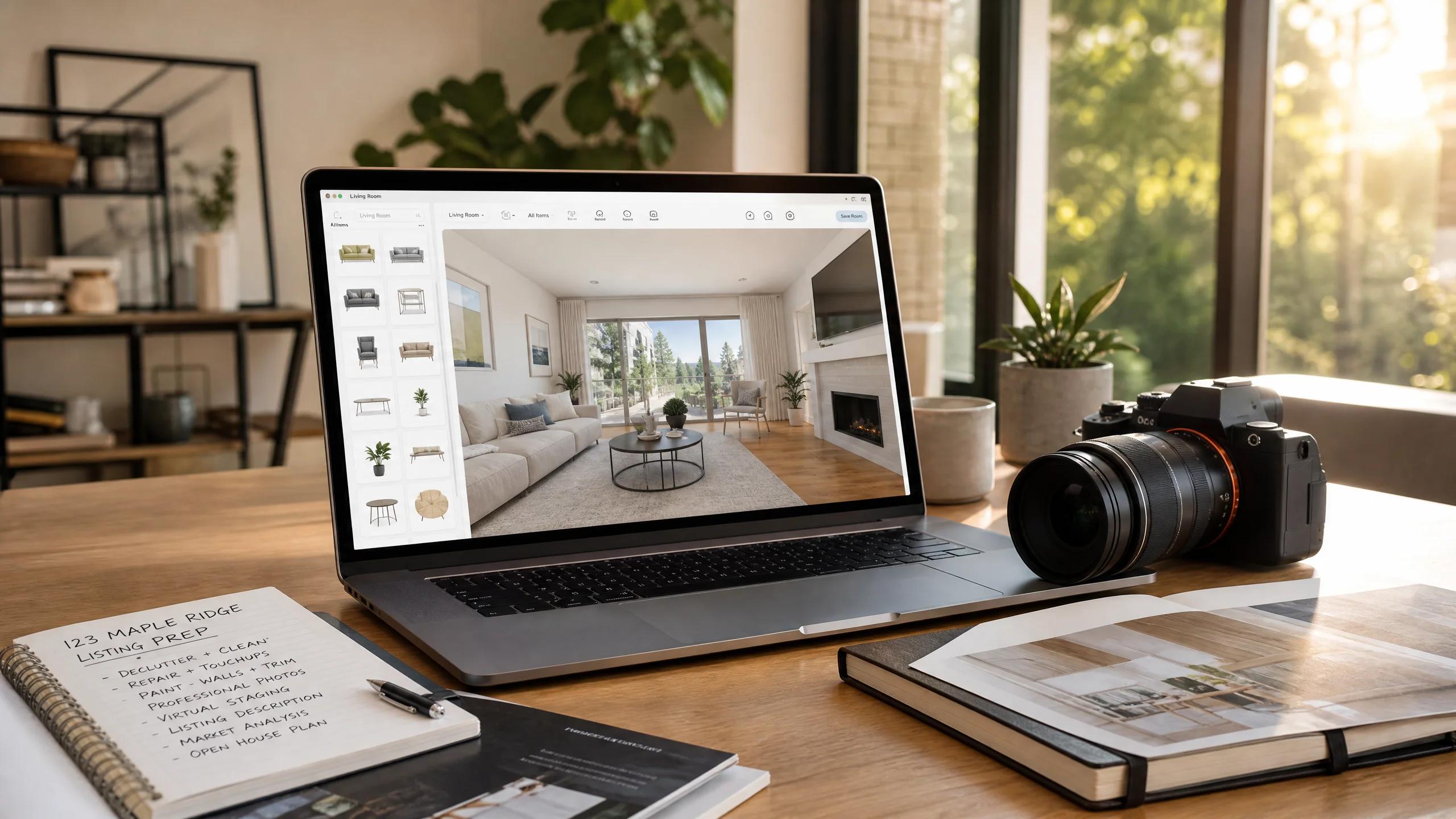
For years, virtually staging an empty property meant one of two painful choices: either pay an overseas agency or 3D rendering studio $24–$35 per photo and wait 48 hours for revisions, or spend hours in Photoshop manually warping furniture shadows.
In 2026, modern DIY virtual staging software has completely upended listing marketing. With generative AI models trained specifically on architectural geometry, solo real estate agents, listing coordinators, and real estate photographers are now staging vacant rooms on their own in under 60 seconds for as little as $0.20 to $1.50 per photo.
However, doing it yourself comes with real risks. If you use generic image tools that hallucinate non-existent windows, alter structural load-bearing walls, or place floating sofas that violate realistic room scale, you risk misleading potential buyers and facing MLS non-compliance penalties.
This comprehensive guide breaks down the best DIY virtual staging software in 2026, details the 5-step field-tested staging workflow, and shares hard-earned lessons from industry practitioners to keep your listings legally compliant and visually stunning.
Quick answer: The 2026 DIY verdict
| Criteria | AI Instant Staging (e.g., EasyRoomAI) | 3D Drag-and-Drop (e.g., ApplyDesign) | Human Outsourcing (e.g., BoxBrownie) |
|---|---|---|---|
| Turnaround | 15–30 seconds | 15–25 minutes | 24–48 hours |
| Cost per photo | $0.20–$1.50 | $7.00–$10.50 | $24.00–$32.00 |
| Learning curve | Zero (Upload & click) | Moderate (Manual 3D placement) | Zero (Delegated) |
| Best use case | 90% of vacant listings & fast turnarounds | Unusual room angles requiring exact items | Ultra-luxury homes & custom CGI |
| Action link | Stage your listing now | View tool comparisons | Calculate your staging ROI |
Ready to stage an empty listing yourself? Try EasyRoomAI Virtual Staging with 100% architecture-locked walls, floors, and windows.
The 3 technological paths to DIY virtual staging in 2026
Before picking a tool, it helps to understand how DIY virtual staging has evolved. Today's market is divided into three distinct methodologies, each with clear trade-offs between speed, manual control, and cost:
1. Architecture-locked AI staging (The 2026 standard)
Instead of relying on generic generative AI (like raw Midjourney or ChatGPT, which completely rebuild the room from scratch and hallucinate fake windows), modern tools like EasyRoomAI Virtual Staging use dedicated spatial constraint engines.
The software identifies the ceiling lines, corners, windows, and existing flooring, keeping the room's physical architecture 100% intact while injecting photorealistic, proportional furniture. You select an interior style (e.g., Japandi, Warm Minimalism, Modern Farmhouse), click generate, and download a listing-ready photo in 15 seconds.
- Speed: ~15–30 seconds per photo
- Cost: $0.20–$1.50 per image
- Best for: Busy realtors, volume photographers, and vacant suburban homes.
2. Drag-and-drop 3D model placement
Pioneered by platforms like ApplyDesign and VisualStager, this approach provides a catalog of pre-rendered 3D furniture models. You define the room's 3D perspective grid manually by aligning vanishing point guidelines, select specific chairs, tables, and rugs from a library, and drag them into the scene.
While it offers pixel-level placement precision, placing and scaling 6–8 items in a living room takes 15–25 minutes per photo, and you pay premium per-coin pricing ($7–$14 per render).
- Speed: 15–30 minutes per photo
- Cost: $7.00–$14.00 per image
- Best for: Designers with specific furniture pieces in mind who have time to manually tweak 3D coordinates.
3. 2D photo manipulation (Photoshop / Canva)
In earlier eras, tech-savvy agents used Photoshop brushes, transparent PNG furniture cutouts, and layer blending masks. Today, this path is virtually extinct for listing staging. Matching contact shadows, room ambient bounce light, floor reflections, and lens perspective manually takes 1–2 hours per photo and almost always looks fake to modern home buyers.
Top 5 DIY virtual staging software ranked & tested
We evaluated the top virtual staging tools on the market based on real listing criteria: architectural fidelity, ease of use, rendering speed, pricing fairness, and MLS compliance features.
| Software | Primary Technology | Cost Model | Turnaround | 360° Panorama Support | Best For |
|---|---|---|---|---|---|
| EasyRoomAI | Architecture-Locked AI | $1.99 Starter / $19–$49/mo | 15 sec | Yes (2:1 Spherical) | Best overall for speed, fidelity & 360 virtual staging |
| ApplyDesign | Manual 3D Drag-and-Drop | $7–$10.50 per coin | 15–20 min | Yes (Manual 3D) | Precise manual item-by-item curation |
| VirtualStagingAI | Automated AI Generative | $16–$39/month | 30 sec | No | Rapid vacant room filling |
| REimagineHome | AI Generative + Inpainting | $19–$49/month | 45 sec | No | Decluttering occupied homes + staging |
| VisualStager | Legacy 2D/3D Stager | $15 for 10 credits | 25 min | No | Occasional single-room DIY staging |
1. EasyRoomAI: Best overall for architecture lock & 360° tour support
Why it leads: EasyRoomAI was engineered specifically around the pain points expressed by working real estate agents. Rather than guessing, its spatial model preserves true door frames, baseboards, window trim, and flooring textures without distortion.
Crucially for 2026 listing marketing, it is one of the only platforms offering native 360° Virtual Staging for Ricoh Theta, Insta360, and Matterport panoramas, alongside built-in MLS disclosure generation.
- Strengths: Zero learning curve, sub-15 second renders, native 360° panoramic staging, no monthly contracts required (accessible $1.99 starter packs).
- Considerations: Best suited for vacant and clean spaces; extensive physical remodeling is handled via the separate room redesign pipeline.
2. ApplyDesign: Best for granular manual control
Why it stands out: If you must stage a specific living room with a green velvet sofa and an arched floor lamp from a specific catalog, ApplyDesign is the gold standard for manual placement.
- Strengths: Extensive furniture library; high-resolution output; allows you to position each decorative pillow.
- Considerations: Steep time commitment (15–20 minutes per photo); rendering can be slow during peak server hours; costs quickly scale to $50–$70 per listing.
3. VirtualStagingAI: Best for simple automated staging
Why it stands out: A pioneer in automated AI staging, VirtualStagingAI offers a simple upload-and-go interface with a reasonable monthly subscription for active agents.
- Strengths: Fast processing; decent standard residential styles.
- Considerations: Limited ability to fine-tune placement; monthly subscription locks you into credit expiration cycles.
Stage a Vacant Room with AI in 30 Seconds
Upload an empty room photo to generate photorealistic, MLS-compliant staged furniture.
Supports JPG, PNG, WebP up to 10MB
The 5-step DIY staging playbook for agents & photographers
DIY staging success is determined 80% by the photo you upload and 20% by the software. Follow this field-tested 5-step playbook to ensure realistic results every time.
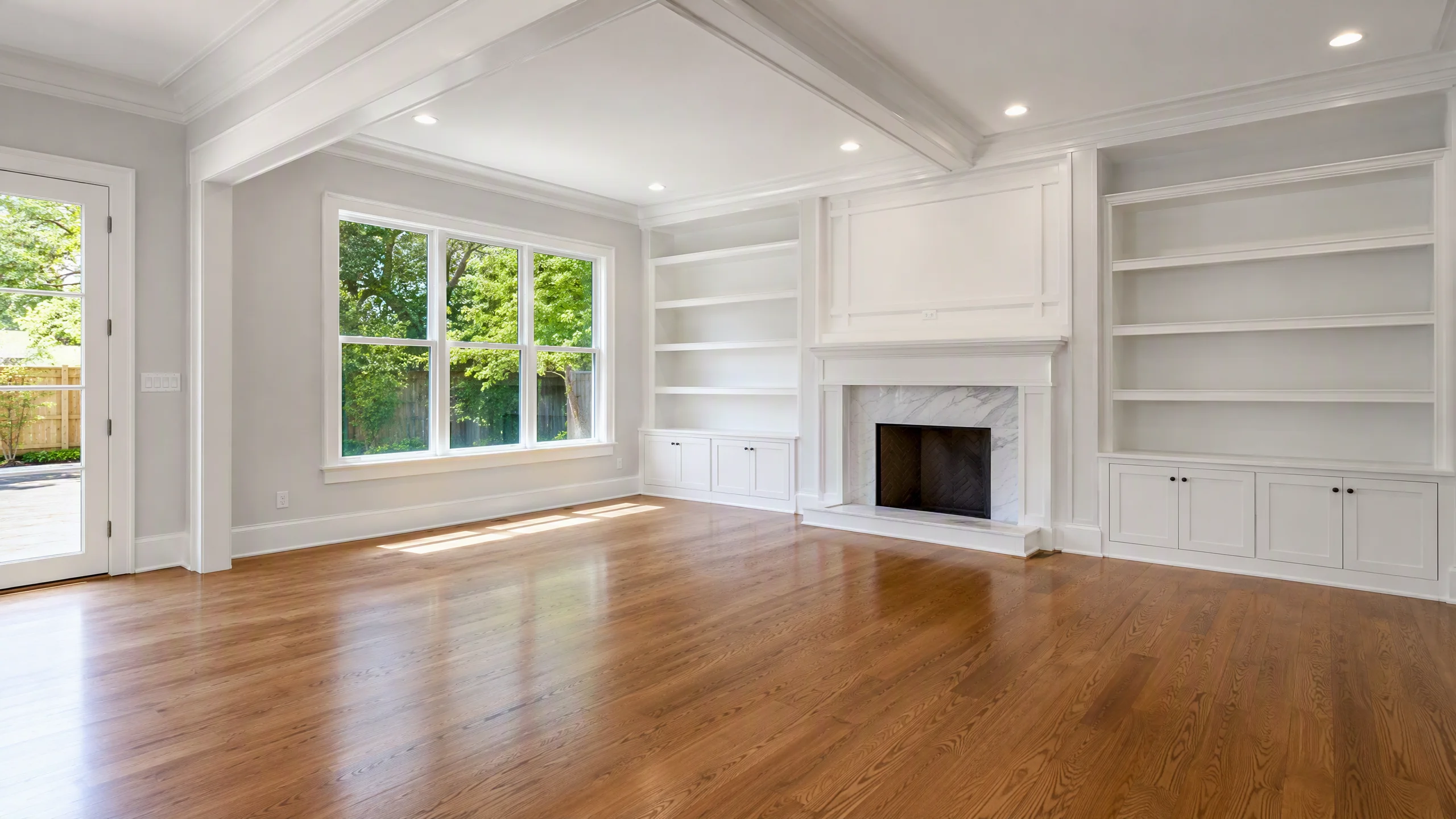
Step 1: Shoot at chest height with an architectural wide-angle lens
The number one reason AI staging produces floating or warped furniture is poor camera perspective:
- Lens: Use a 24mm to 30mm full-frame equivalent lens (or 0.5x ultra-wide on newer iPhones with distortion correction enabled). Avoid extreme fisheye (under 16mm), which bends horizontal wall lines.
- Tripod height: Set your tripod at 4.5 to 5.0 feet (chest height). Shooting from 6 feet up makes couches look squashed; shooting from knee height makes the ceiling dominate the frame.
- Level the camera: Keep the vertical lines of doors and corners strictly perpendicular. Tilted horizons throw off the AI's ground-plane detection.
Step 2: Clear debris and balance natural light
Before snapping the photo:
- Sweep the floor and remove paint cans, HVAC tape, and stray cables.
- Turn off artificial ceiling lights if they cast heavy yellow/orange tungsten color casts. Rely on bright, diffuse natural daylight through windows to let the AI cast natural shadows across the floorboards.
Step 3: Match interior styles to buyer demographics
Don't stage an ultra-modern steel-and-leather setup in an 1890 Victorian farmhouse. Matching the design aesthetic to your target buyer demographic increases emotional resonance:
- First-time millennial buyers & urban condos: Warm Minimalism and Japandi with light oak, boucle fabrics, and organic textures.
- Suburban single-family homes: Modern Farmhouse or Transitional with neutral linen sofas, layered rugs, and brass accents.
- Luxury estates: Contemporary Chic with clean marble surfaces, low-profile seating, and architectural lighting.
Step 4: The 3-point scale and perspective check
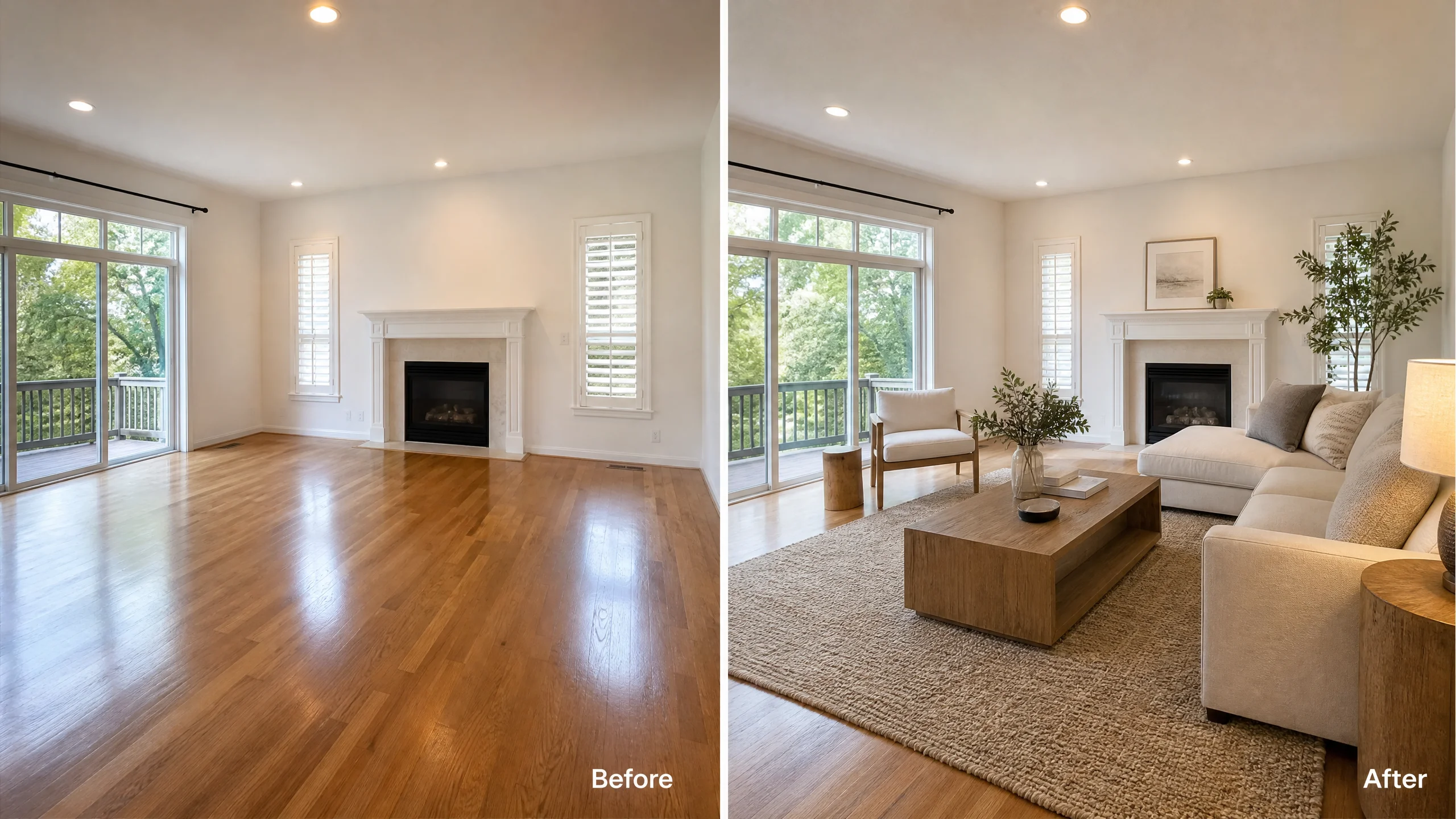
Once your AI tool generates the staging, don't immediately download it. Run this quick 3-point visual check:
- The Doorway Clearance Test: Is the sofa or dining table blocking natural walking pathways or extending past door jams?
- Contact Shadows: Does every furniture leg cast a crisp contact shadow directly on the flooring, or does the piece appear to float?
- Window Reflection Logic: If there is a glass coffee table or mirror, does it reflect the existing ceiling and walls accurately?
Step 5: Export with MLS-compliant disclosures
Every MLS board in North America requires explicit disclosure when listing photos have been virtually enhanced. Download your high-resolution render, overlay a subtle but legible "Virtually Staged" label in the bottom corner, and prepare your listing description remarks.
4 Costly DIY mistakes real estate agents make (Reddit case studies)
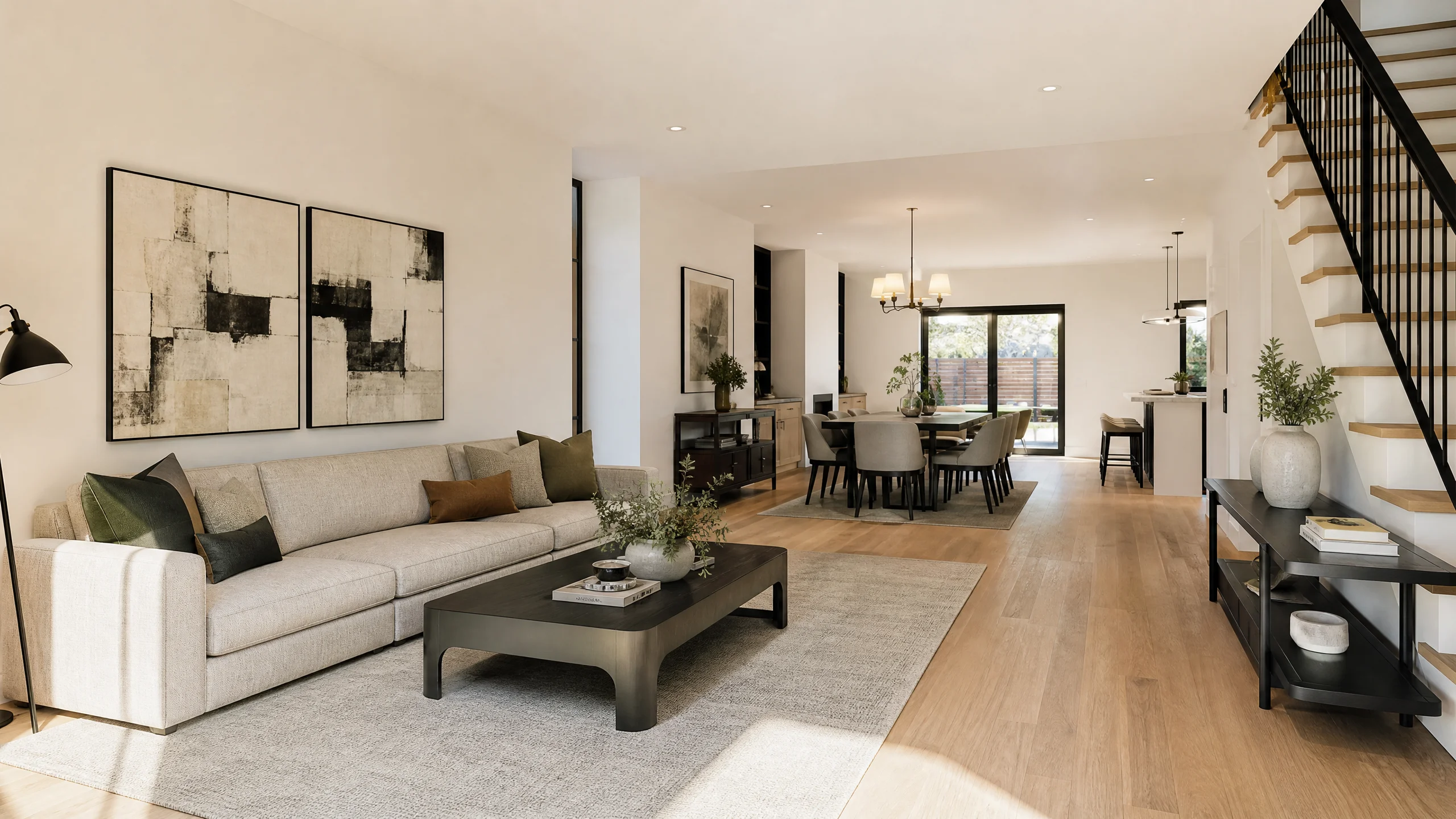
Real estate forums like Reddit's r/RealEstatePhotography and r/realtors are filled with horror stories of agents trying DIY staging and getting burned. Here are the four biggest traps to avoid:
1. The "Hallucinated Architecture" trap
"I tried an AI staging app on an older brick home, and it generated a marble mantle on a flat brick wall and changed the window mullions. When the buyer toured the house, they felt deceived before they even reached the kitchen."
— Working Real Estate Photographer,r/RealEstatePhotography
The Risk: In many states (including under California AB 723 regulations), altering physical property characteristics in marketing materials constitutes false advertising.
The Solution: Always use dedicated staging tools with strict architectural locks (like EasyRoomAI) rather than consumer AI image generators that recreate the entire room.
2. Dollhouse syndrome (Overcrowding small spaces)
When staging an 8×10-foot guest bedroom, generic AI tools frequently squeeze in a king-size bed, two large nightstands, an armchair, and a dresser. The thumbnail looks gorgeous, but when buyers walk into the room during an open house, their immediate reaction is disappointment.
- Rule of thumb: Under-furnish rather than over-furnish. In small rooms, stage a queen bed and one nightstand to highlight open floor space.
3. Covering up material defects
Never use DIY staging to digitally cover up visible water stains, cracked drywall, or damaged hardwood flooring. Virtually replacing furniture is marketing; digitally repairing foundational damage on MLS photos without disclosure is fraud. If the floor is genuinely being replaced, consider using an explicitly labeled floor renovation preview.
4. Forgetting the MLS disclosure
Failing to label photos as virtually staged can result in immediate MLS listing takedowns and fines ranging from $250 to $1,000 per violation.
- Use our free MLS Disclosure Generator to generate compliant disclosure text for your local board.
The economics of DIY: Outsourcing ($30) vs DIY ($0.50)
Why are so many real estate professionals bringing staging in-house? The math speaks for itself:
| Scenario (50 Listings / Year, 5 Rooms Staged Each = 250 Photos) | Traditional Agency Outsourcing | DIY with EasyRoomAI | Annual Savings |
|---|---|---|---|
| Cost per photo | $28.00 (Average BoxBrownie / Stuccco) | ~$0.30 (Starter / Pro plan) | $27.70 / photo |
| Total annual cost | $7,000.00 | $75.00 | $6,925.00 (98.9% Savings) |
| Turnaround time | 48 hours × 50 = 100 days waiting | 15 seconds × 250 = ~1 hour total | Instant listing launch |
The real estate photographer's upsell formula
If you are a professional real estate photographer, DIY staging software is one of the highest-margin add-ons you can offer:
- Cost to you: $0.20 to $1.50 per image via AI.
- Wholesale add-on price to realtors: $25.00 to $35.00 per photo (or $99 for a 3-room package).
- Net profit margin: 95%+. Staging 5 rooms takes less than 3 minutes at your desk and adds $150 of pure profit to every listing shoot.
Frequently asked questions
Can I virtually stage listing photos myself on an iPhone?
Yes. Modern smartphones capture exceptional dynamic range. Simply hold the phone at chest height, tap the 0.5x or 1x lens, ensure vertical wall lines are straight, and upload the photo directly to EasyRoomAI in your mobile browser.
Is there free DIY virtual staging software?
Several tools offer free trial credits (such as EasyRoomAI's starter credits or ApplyDesign's first free render). However, completely "free" unlimited tools often inject watermarks or use low-resolution models that compress poorly on MLS and Zillow portals.
Does Zillow allow DIY virtually staged photos?
Yes, Zillow, Realtor.com, Redfin, and standard MLS boards permit virtual staging, provided the photos are explicitly marked with a "Virtually Staged" disclosure text or watermark, and no permanent structural elements (walls, structural beams, exterior views) are falsified.
Start staging your own listings today
You no longer need an outsourced design agency or 3D modeling skills to create magazine-worthy real estate marketing:
- Launch EasyRoomAI Virtual Staging to stage empty living rooms, bedrooms, and dining areas in 15 seconds.
- Explore 360° Panorama Virtual Staging to furnish immersive virtual tours.
- Generate your compliance text in seconds with our free MLS Disclosure Generator.
- Calculate your exact annual savings with the Virtual Staging ROI Calculator.
Ready to Stage a Listing?
Upload a vacant room photo and generate listing-ready furniture — sign in with credits to generate.
Stage a ListingRelated reading
360 Virtual Staging: Complete Real Estate Guide (2026)
Master 360 virtual staging for real estate in 2026 — camera setups, AI panoramic furnishing, seamless 2:1 exports to Matterport & Kuula, and MLS compliance.
Virtual Staging: The Complete Guide for Real Estate Agents (2026)
Everything agents need to know about virtual staging in 2026 — how AI staging works, what it costs, which rooms to stage first, MLS disclosure rules, and how to avoid the mistakes that kill buyer trust.
Best Virtual Staging Software for Real Estate (2026 Tested)
Compare the best virtual staging software for real estate in 2026. Real test data from Reddit photographers, architecture lock vs AI hallucination, 360° panorama support, and MLS compliance.