7 Best AI Kitchen Design Tools in 2026 (Tested and Compared)
A kitchen remodel is a five-figure decision, and the costliest mistake is choosing wrong. We compared the 7 best AI kitchen design tools of 2026 on cabinet color previews, layout retention, realism, and price — so you can see the finished kitchen before you commit.
 Easy Room AI Team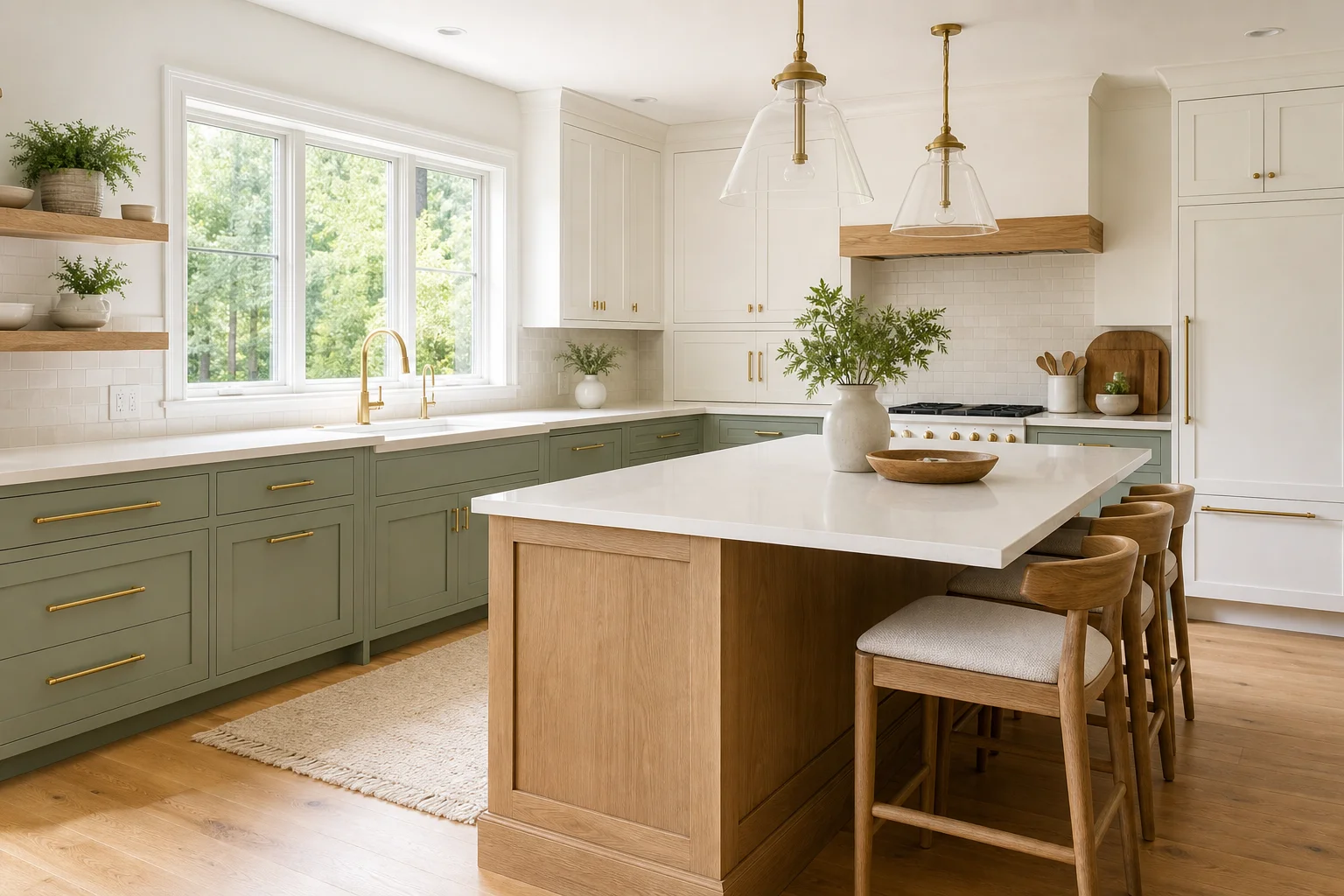
A kitchen is the most expensive room in the house to get wrong. A full remodel runs well into five figures, and the single most expensive decision isn't the appliances or the countertops — it's choosing the wrong cabinet color or backsplash from a two-inch swatch, then living with it (or paying to redo it).
That's exactly what AI kitchen design tools fix. Upload a photo of your current kitchen, and you can preview new cabinet colors, countertops, backsplashes, and flooring on your actual room in seconds — under your actual lighting — before a contractor lifts a tool. This guide compares the seven best AI kitchen design tools in 2026, judged on the things that matter for a real renovation.
In this guide you will learn:
- What separates a great AI kitchen tool from a frustrating one
- The 7 best tools at a glance (quick comparison table)
- The right pick for cabinet colors, layout planning, and shopping the look
- Which tools are genuinely free to try
- How to get photorealistic kitchen results from any tool
We build an AI room design tool ourselves (EasyRoomAI), so this is a criteria-led comparison — including where other tools beat us.
What to look for in an AI kitchen design tool
Kitchens have specific demands that a generic room redesigner can struggle with. Weigh these before you commit:
- Layout retention. The best tools keep your sink, range, and island exactly where they are and change only the finishes — so contractor quotes stay accurate. A tool that invents a new layout is useless for planning.
- Cabinet color accuracy. Cabinets are the biggest visual (and budget) decision. You want to see the same kitchen in white, sage, navy, and wood without re-rolling the whole room each time.
- Material realism. Quartz, wood grain, brushed-metal hardware, and tile should look real, not like a generic 3D render.
- A real free tier. You should be able to test the tool on your own kitchen photo before paying — ideally without even signing up.
- Speed. Seconds per option, so you can compare five directions in the time it takes to find a paint chip.
The takeaway: realism plus layout retention is what makes an AI preview trustworthy enough to spend money on.
The 7 best AI kitchen design tools at a glance
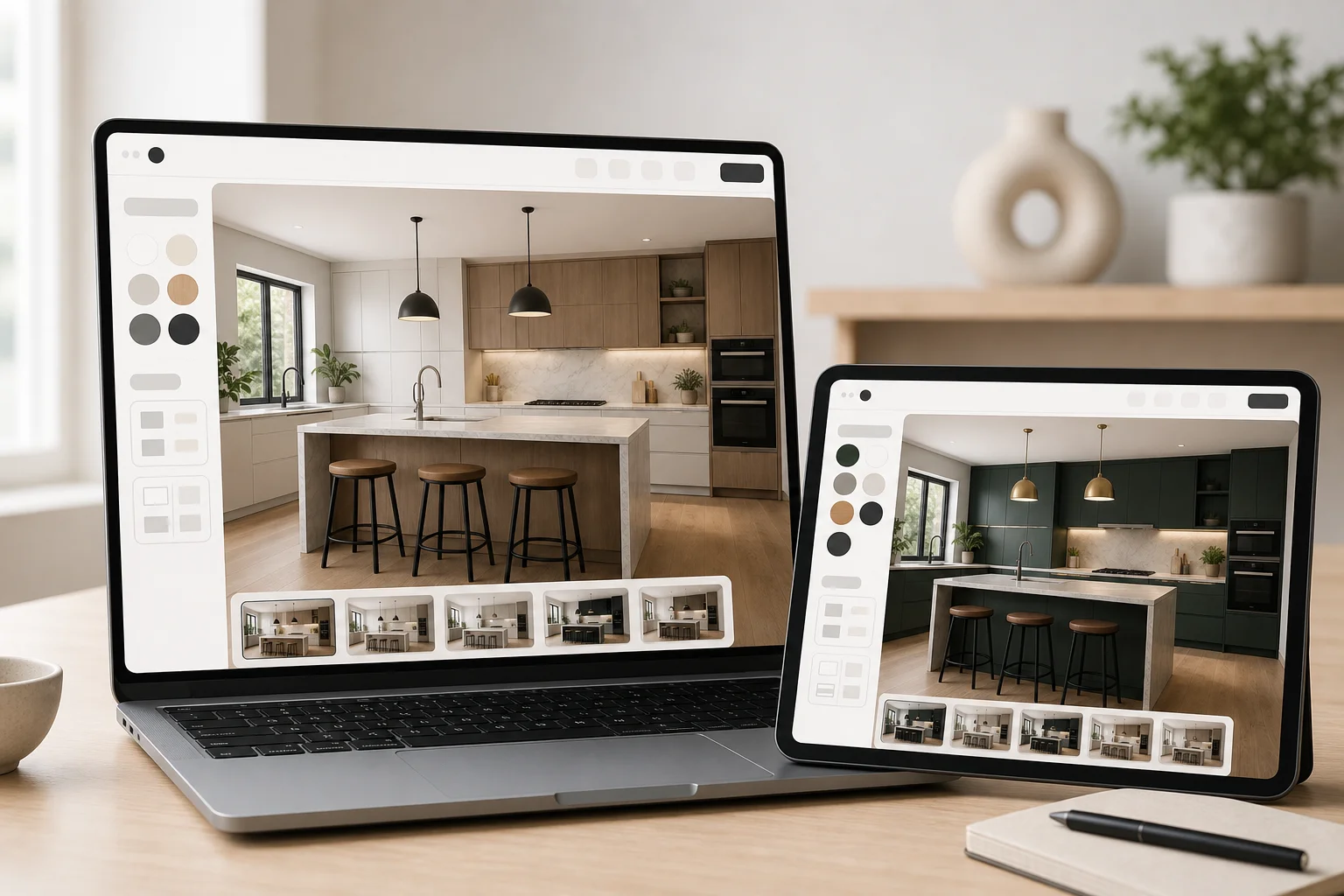
| Tool | Best for | Free to try | Standout strength |
|---|---|---|---|
| EasyRoomAI | Homeowners & renters | Yes, no signup | Fast, photorealistic kitchen redesigns |
| Interior AI | Photoreal cabinet renders | Trial | High-detail finishes + virtual staging |
| Homedesigns.ai | Style & finish variety | Daily free credits | 80+ styles, deep material library |
| Paintit.ai | Shop-the-look fittings | 30 free credits | Real product buy links |
| RoomsGPT | A free all-in-one | Free daily credits | 60+ styles + free side tools |
| RoomGPT | A quick first try | Limited free | Simple, beginner-friendly |
| ideal.house | Layout & 3D planning | Free LITE tier | Floor-plan + 3D kitchen generator |
Redesign Your Kitchen with AI
Upload a photo of your space to test 16 curated design styles instantly with AI — 100% free.
Supports JPG, PNG, WebP up to 10MB
1. EasyRoomAI — best for homeowners who want fast, realistic results
We'll be upfront: this is our tool. We built it around one job — letting a homeowner or renter upload a kitchen photo and get a photorealistic redesign in seconds, free, without an account. For kitchens, that means previewing painted cabinets, new countertops, backsplash tile, and flooring on your real room while it keeps your existing layout intact.
- Best for: homeowners and renters previewing a kitchen before they buy or renovate.
- Strengths: realistic output, no-signup free previews, a clean interface, and layout retention so the result matches your actual space.
- Trade-off: a curated style list rather than an exhaustive one, and we focus on photo-to-redesign rather than dimensioned cabinet plans.
Try it free — no signup needed for your first previews.
2. Interior AI — best for photorealistic cabinet renders
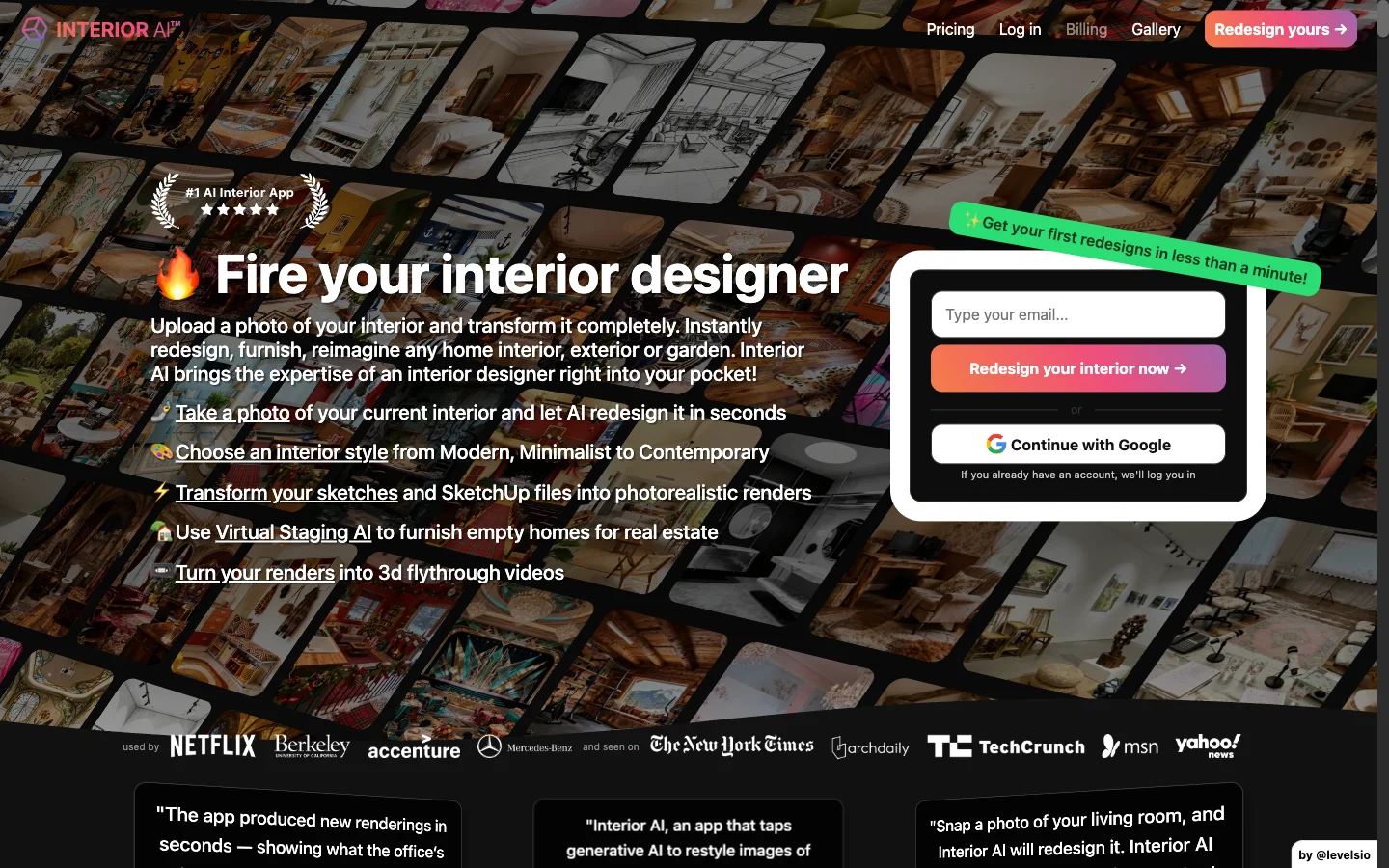
Built by indie maker Pieter Levels, Interior AI is one of the category's most established tools, with a high-realism mode and virtual staging. For kitchens, its detailed rendering handles glossy cabinet finishes and hardware well, which appeals to power users and people staging properties.
- Best for: users who want maximum render detail and staging options.
- Trade-off: more modes and a steeper learning curve; you often re-render the whole kitchen to change one finish.
See the full breakdown in our EasyRoomAI vs Interior AI comparison.
3. Homedesigns.ai — best for style and finish variety
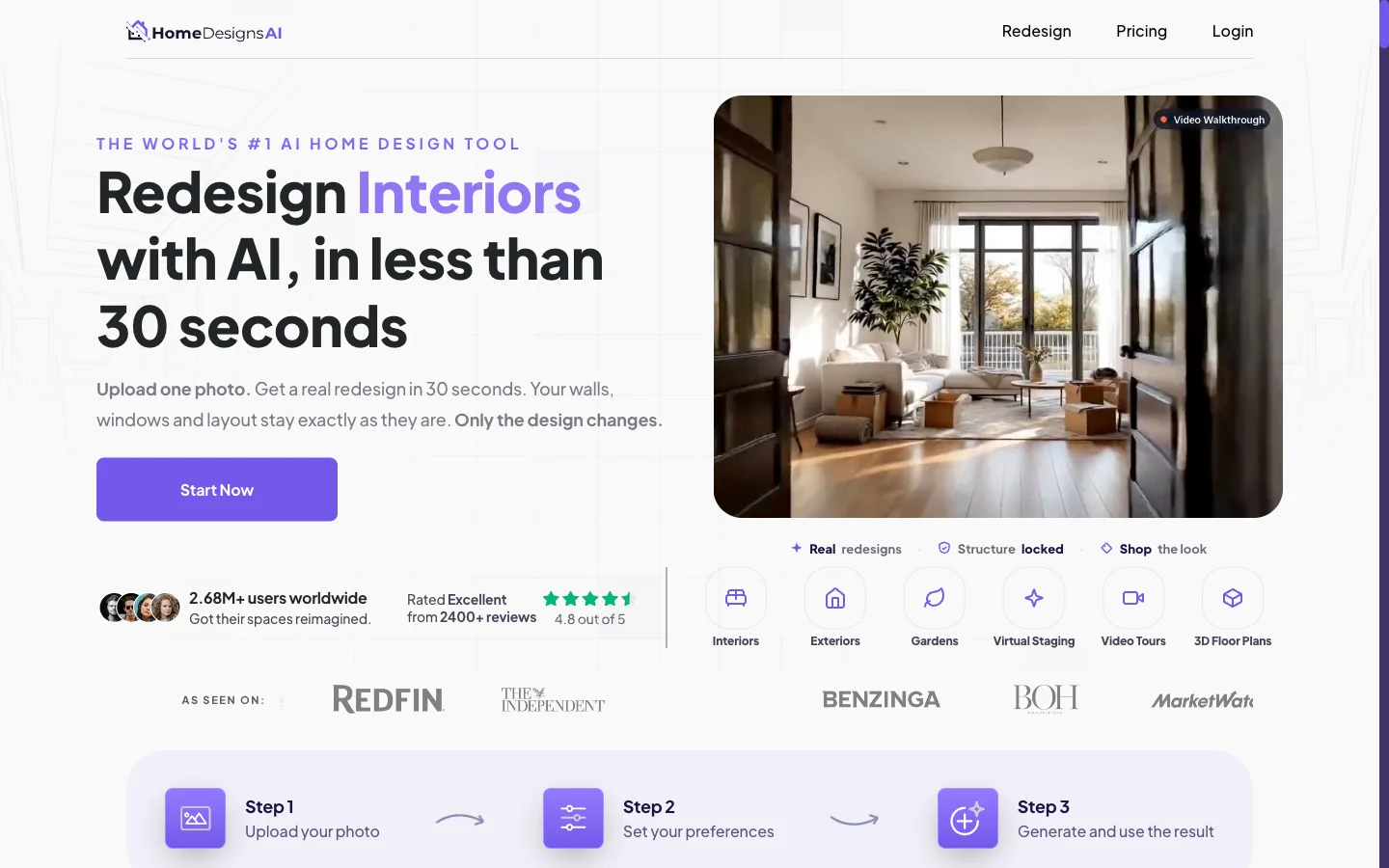
If you want to explore widely, Homedesigns.ai offers 80+ styles and 60+ room types with a deep material library, plus an "AI intervention" slider to control how far it strays from your original kitchen.
- Best for: trying many cabinet, counter, and style directions before narrowing down.
- Trade-off: the sheer number of options can be overwhelming if you just want one good result.
Details in EasyRoomAI vs Homedesigns.ai.
4. Paintit.ai — best for shopping the look
Paintit.ai's signature trick is identifying items in your generated image and linking to real products you can buy from retailers like Amazon and IKEA. In a kitchen, that's handy for sourcing hardware, lighting, bar stools, and accessories that match your render.
- Best for: people who want to buy the exact fittings they generated.
- Trade-off: the shopping focus matters less if you only want the visual.
See EasyRoomAI vs Paintit.ai for the full picture.
5. RoomsGPT — best free all-in-one
RoomsGPT bundles a room planner with exterior and garden design, virtual staging, and free side tools (calculators and color pickers), plus a generous no-signup free tier and 60+ styles. It's a solid free starting point for a casual kitchen refresh.
- Best for: people who want lots of free tools in one place.
- Trade-off: breadth over depth — broad features, none kitchen-specialized.
Here's how it lines up in EasyRoomAI vs RoomsGPT.
6. RoomGPT — best for a quick first try
RoomGPT introduced a lot of people to AI room design. It's simple and beginner-friendly: upload a photo, pick a theme, get a result. That simplicity is both its appeal and its limit for a detailed kitchen project.
- Best for: complete beginners wanting a fast first taste of AI redesign.
- Trade-off: fewer controls, styles, and finish-level options than the bigger toolkits.
Compare them directly in EasyRoomAI vs RoomGPT.
7. ideal.house — best for layout and 3D planning

ideal.house bundles a large set of home-design tools, including a floor-plan generator and a 3D model generator. If your kitchen project involves rethinking the layout — not just finishes — that planning angle sets it apart from pure photo-restyle tools.
- Best for: early-stage layout exploration and 3D visualization.
- Trade-off: many of its tools are broad rather than deeply tuned for one workflow.
See how it compares in EasyRoomAI vs ideal.house.
Cabinet color, layout, and finish features that matter
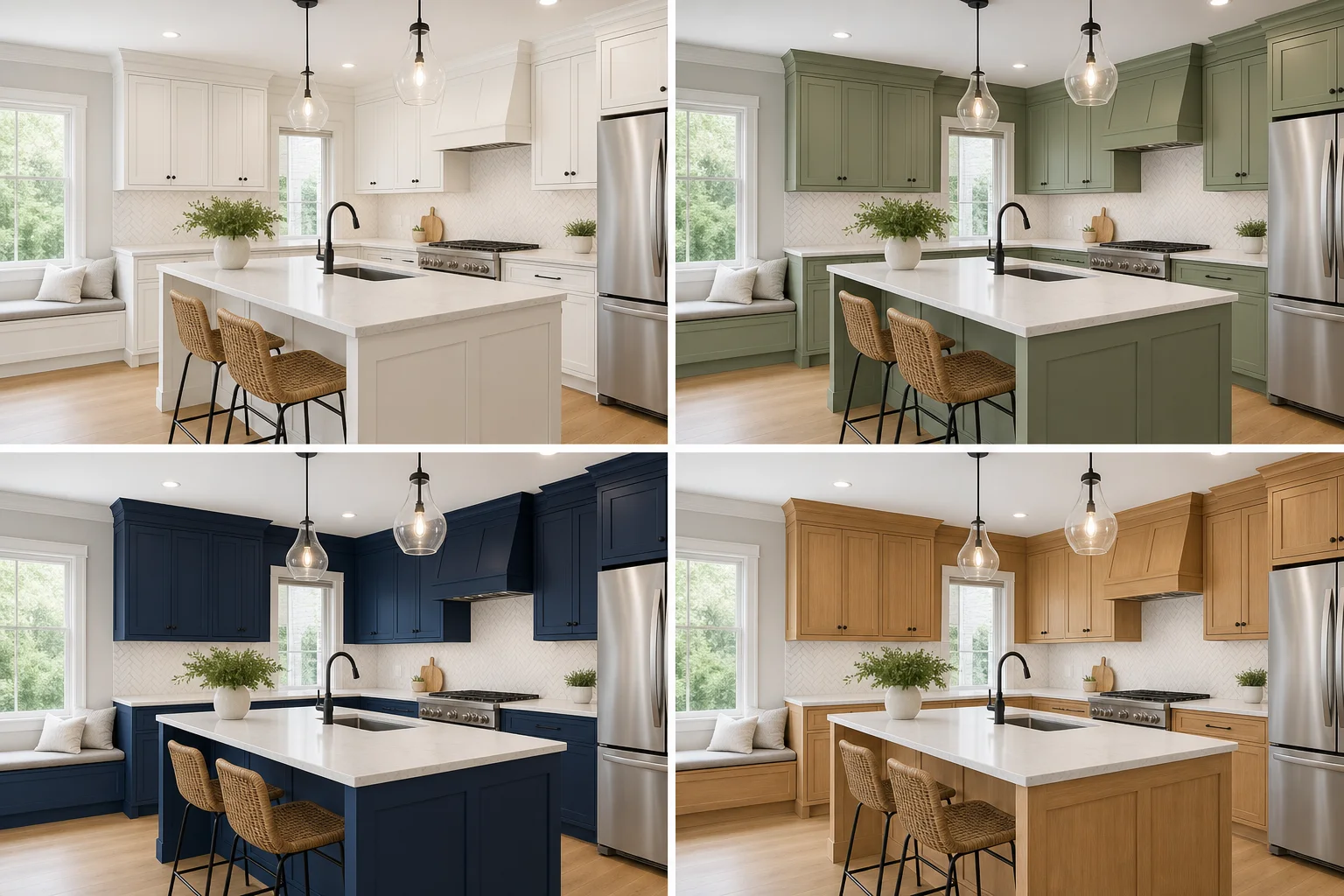
Cabinets drive both the look and the budget of a kitchen, so the cabinet-color preview is the feature to test first. Designers have moved decisively toward color and warm wood: in the NKBA 2026 Kitchen Trends Report, green ranks as the #1 kitchen color (cited by 86% of designers), ahead of blue, with warm wood tones overtaking painted white. A good AI tool lets you audition exactly those directions — sage, navy, walnut — on your own cabinets in seconds.
When you compare tools, run the same kitchen photo through each and check three things: did it keep your layout, did the cabinet color look real under your lighting, and could you change one finish (just the backsplash, say) without re-rolling everything? For deeper color guidance, see our sage green kitchen ideas and 2026 kitchen cabinet color trends.
Free vs paid: what you actually get
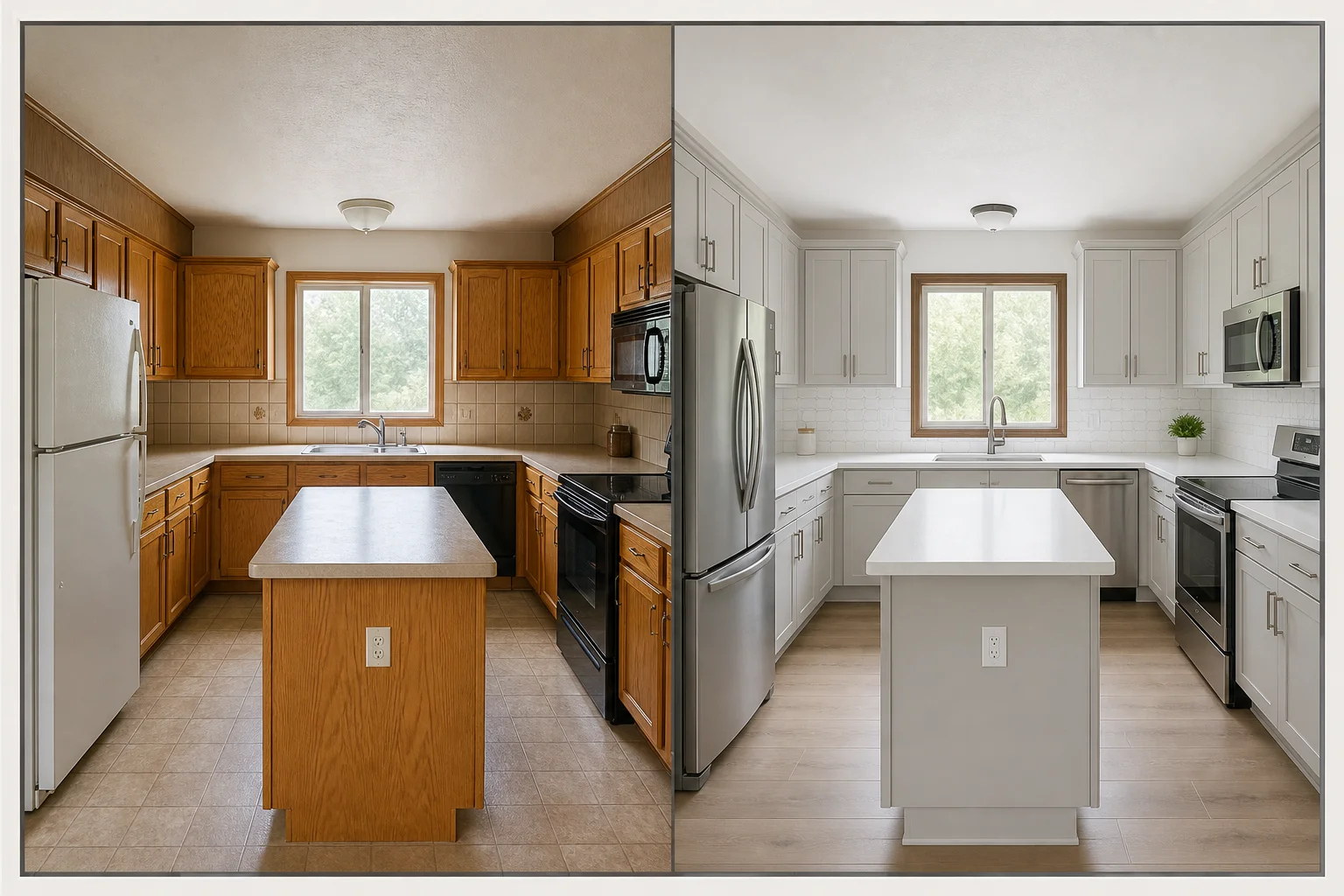
Most AI kitchen tools use a freemium or credit model:
- Free tiers are genuinely useful for testing. EasyRoomAI offers free anonymous previews; RoomsGPT, Homedesigns.ai, and Paintit.ai provide free daily or starter credits. Always try the free tier on your real kitchen before paying.
- Paid plans typically run from roughly $15 to $50 per month, unlocking higher resolution, more generations, and batch styles.
The smart move: judge cost by what a finished project costs, not the headline price — and weigh that against the renovation itself. When a remodel is a five-figure commitment, a few dollars to preview the cabinet color first is the cheapest insurance you'll buy. Here's our pricing as a benchmark.
How to get photorealistic kitchen results from any tool
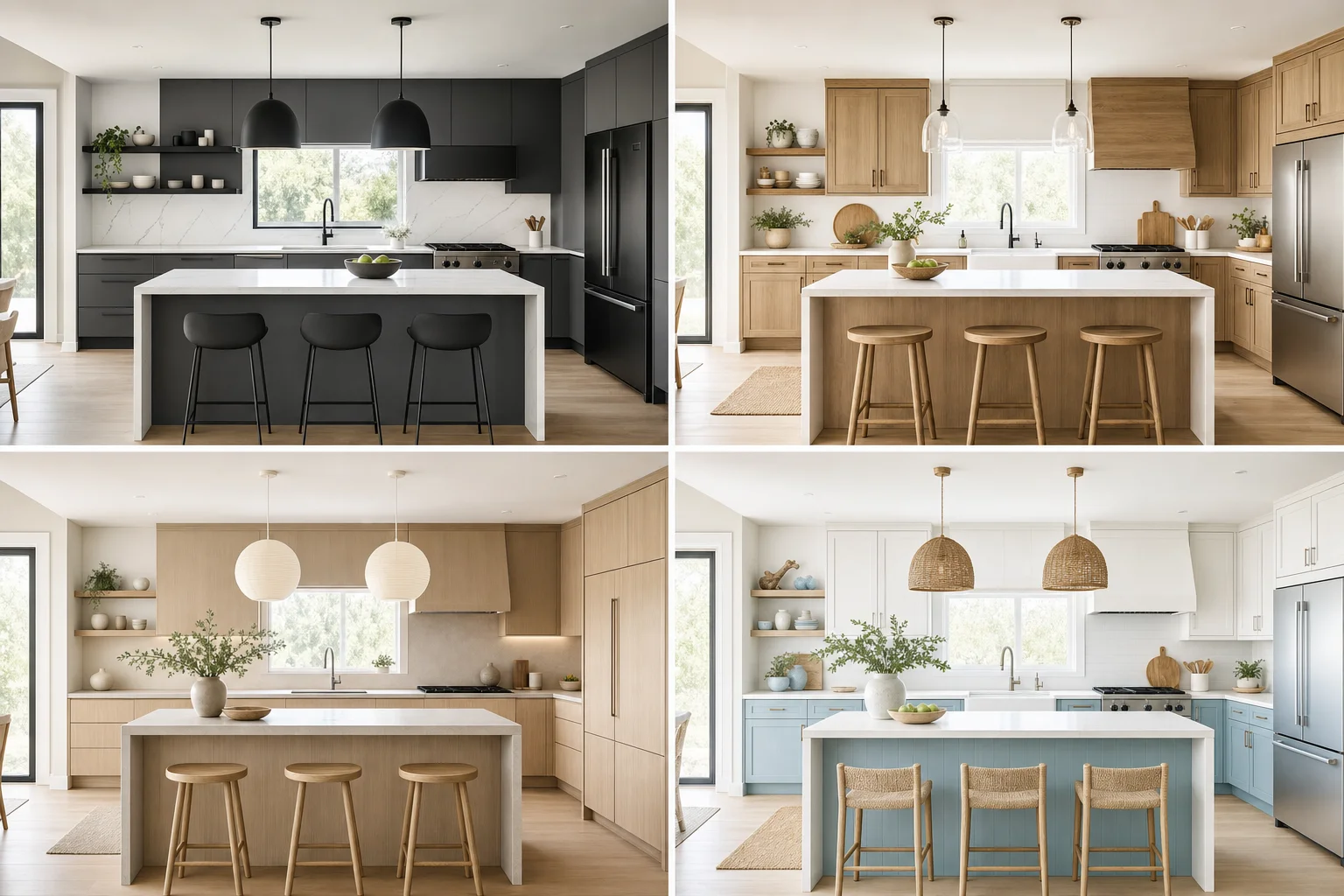
A few habits dramatically improve your output, regardless of tool:
- Use a clear, well-lit photo. Shoot in daylight at eye level and capture the whole kitchen — bad input is the number-one cause of bad AI results.
- Declutter the counters. Fewer objects give the AI a cleaner canvas.
- Be specific. "Shaker cabinets in sage green with white quartz and brushed brass hardware" beats "make it nice."
- Generate several options. Run the same kitchen in three or four directions, then commit to the one that suits your light and layout.
Try a kitchen redesign for yourself
The fastest way to pick your favorite tool is to test one on your own kitchen right now. Upload a photo to EasyRoomAI and generate a redesign in seconds — free, no signup — then compare it against any other tool on this list.
- Redesign your kitchen free
- For the full category beyond kitchens, see our best AI interior design tools guide, or browse kitchen design ideas.
Frequently asked questions
What is the best AI kitchen design tool in 2026? It depends on your goal. For homeowners and renters who want a fast, photorealistic kitchen preview for free, EasyRoomAI is built for exactly that. Interior AI suits users who want maximum render detail, Paintit.ai is best for shopping the look, and ideal.house helps with layout and 3D planning. Test two or three on your own kitchen photo to decide.
Are there free AI kitchen design tools? Yes. Several offer free tiers, and some let you generate previews without signing up. EasyRoomAI offers free anonymous previews, while RoomsGPT, Homedesigns.ai, and Paintit.ai provide free daily or starter credits. Always try the free tier on your real kitchen before paying.
Can AI redesign my actual kitchen instead of a generic one? Yes — that's the core feature. You upload a photo of your real kitchen and the tool restyles it while keeping the existing layout, so you see your own space with new cabinets, counters, and finishes rather than a stock kitchen.
Will an AI kitchen tool keep my existing layout? The good ones do. Quality tools change only the finishes — cabinet color, countertops, backsplash, flooring — while preserving your sink, range, and island positions, which keeps the result realistic and contractor quotes accurate. Always verify layout retention on your own photo.
Can AI tools preview different cabinet colors? Yes, and it's their most useful kitchen feature. You can audition white, sage green, navy, or wood-tone cabinets on your actual kitchen in seconds, under your real lighting — far more reliable than judging a two-inch swatch.
How much do AI kitchen design tools cost? Most use a freemium or credit model. Free tiers cover casual use; paid plans typically run from around $15 to $50 per month depending on volume and features. Compared with a five-figure remodel, previewing finishes first is inexpensive insurance — see our pricing as a reference.
AI kitchen design has matured into a genuinely useful planning step: realistic, fast, and mostly free to try. Before you commit five figures to cabinets and counters, test a tool on your own kitchen, judge it on layout retention and color realism — and let the preview, not a swatch, make the call.
Ready to Transform Your Space?
Try AI room redesign for free - no credit card required.
Start Designing FreeRelated reading

10 Best Free AI Interior Design Apps in 2026
You can preview a full room redesign in 2026 without paying a cent — if you know which free tiers are genuinely usable. We compared the 10 best free AI interior design apps on credits, signup walls, watermarks, and output quality, so you know exactly what free gets you and when it's worth upgrading.
Best AI Interior Design Tools in 2026 (Tested and Compared)
We compared the top AI interior design tools of 2026 on realism, ease, speed, and price. Here's the honest breakdown of which one is best for homeowners, renters, designers, and real estate — and how to get great results from any of them.

DIY Virtual Staging Software: How to Stage Listings Yourself in 2026 (Tools, Costs & Step-by-Step Guide)
Stop paying $24–$35 per photo to outsourcing agencies. Compare the top DIY virtual staging software in 2026, master the 5-step realtor staging workflow, and avoid costly MLS disclosure and perspective mistakes.